
DAILY WORKFLOW
Tasks & Action Items
Most of the work Alloovium raises isn't something it does for you — it's something it puts in front of you. Tasks and action items are that queue: everything that needs a person, gathered in one place with its source and its deadline attached.
Overview
The queue lives in the Needs attention panel on Today. It mixes two kinds of entries: action items that Alloovium raised on your behalf — extracted from a meeting, a site call, an email, or produced by a routine — and your own to-dos, added by hand or by asking the assistant. Both kinds behave the same way: open the item, see where it came from, act on it.
The point of the queue is that nothing arrives naked. An action item knows which meeting raised it, which project it belongs to, and when it is due — so deciding what to do about it rarely means going looking for context.
Where items come from
Items flow into the queue from the places work actually happens:
- Meetings — when a recorded meeting is processed, the commitments made in it become action items, each linked back to the meeting record.
- Site calls — actions you raise on a site call land in the queue with the call, its transcript and its summary one click away.
- Routines — a routine can add an item to Needs you as one of its steps, so a scheduled check that finds something becomes a task for a person, not just a notification.
- Email — action items extracted from your project inbox surface here alongside everything else.
- You — add a to-do directly on Today, or ask the assistant to add one for you.
What an item carries
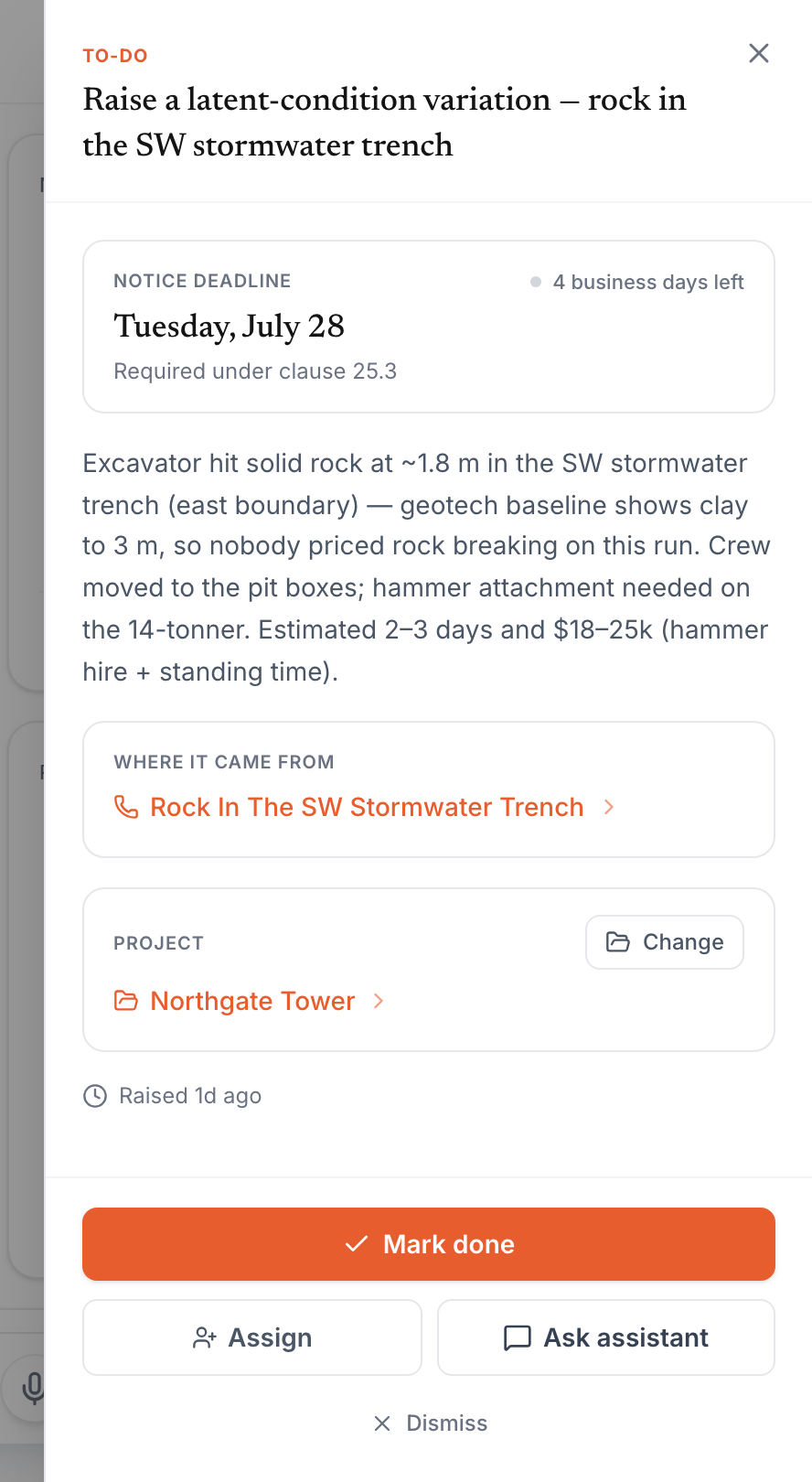
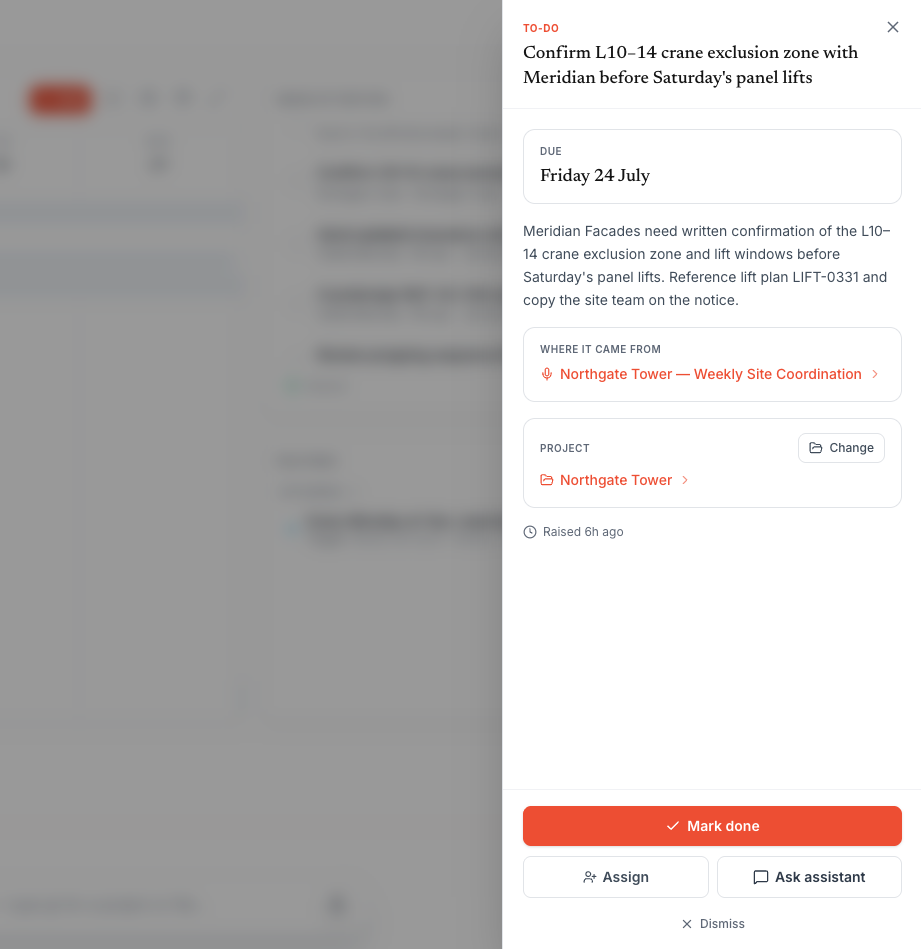
Opening an item slides out its detail panel. The due date sits at the top — and where a deadline is contractual, like the notice period on a latent-condition variation, the panel shows the clause it comes from and a live business-day countdown. Below that: the description Alloovium pre-filled from the source, the Where it came from link that opens the meeting, call or email that raised the item, and the project it belongs to.
Working the queue
Every item offers the same verbs: Mark done when it's handled, Assign to hand it to a teammate, Ask assistant to take the item into a chat with its context already loaded, and Dismissfor things that don't need action (with an undo, in case you dismiss the wrong one). Completed to-dos can be reopened.
Tasks, alerts and "On it"
Not everything in the queue is a task. Alerts — a flagged schedule risk, for instance — aren't "done" the way a to-do is; they're acknowledged. An alert row carries a quiet On it control instead of a completion tick: press it and the row settles back, marked as acknowledged, so the rest of the team can see someone has picked it up.
When the queue gets busy, filter chips above it split the view by kind — alerts, tasks, email — so you can work one lane at a time.
Handing work to a teammate
Assignopens a teammate picker scoped to the item's project. The item moves to their queue with all of its context — source link, deadline, pre-filled description — intact, so a hand-off never means re-explaining.
Why the source link matters
The Where-it-came-from link is the quiet workhorse of the queue. A task that says "chase the revised drainage layout" is an errand; the same task one click from the meeting where it was promised is a conversation you can have immediately.