
Settings
Notifications
How the in-app bell and email delivery work, and how to tune the noise with the priority threshold and weekly digest.
What sends a notification
Alloovium notifies you in-app and, if you choose, by email when important events occur. Tune email delivery in Account Settings → Notifications.
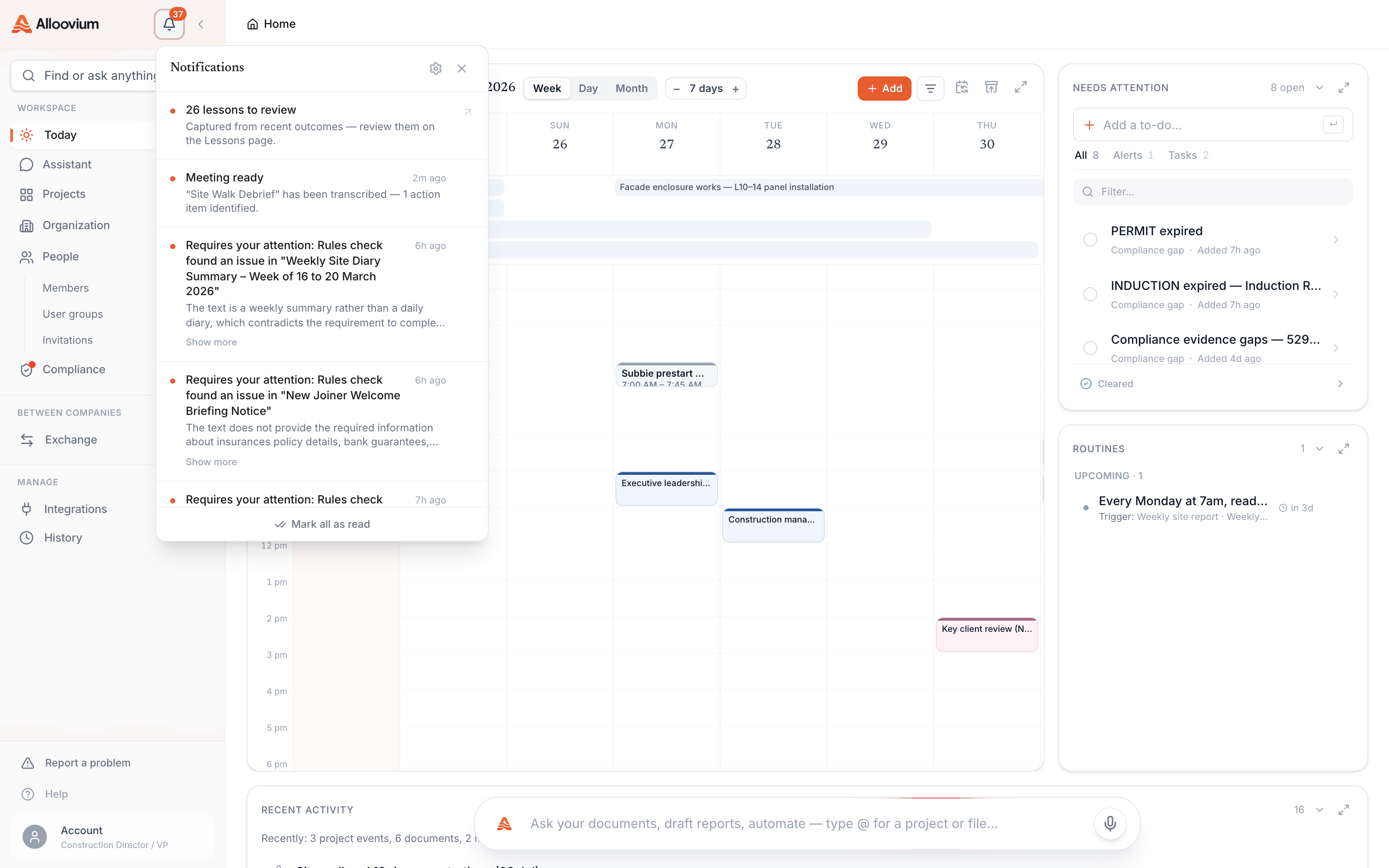
Notifications come from across the platform — document batches finishing (or failing), background answers completing, content shared with you, tasks and approvals assigned to you, routine runs that need review, and integrations that hit a sync problem. Every notification carries a priority, which is what your settings filter on.
Your controls
In-app notifications always arrive in the bell tray — they are quiet, and they give you a reviewable history. Email is where you tune the noise, with two controls:
| Control | What it does |
|---|---|
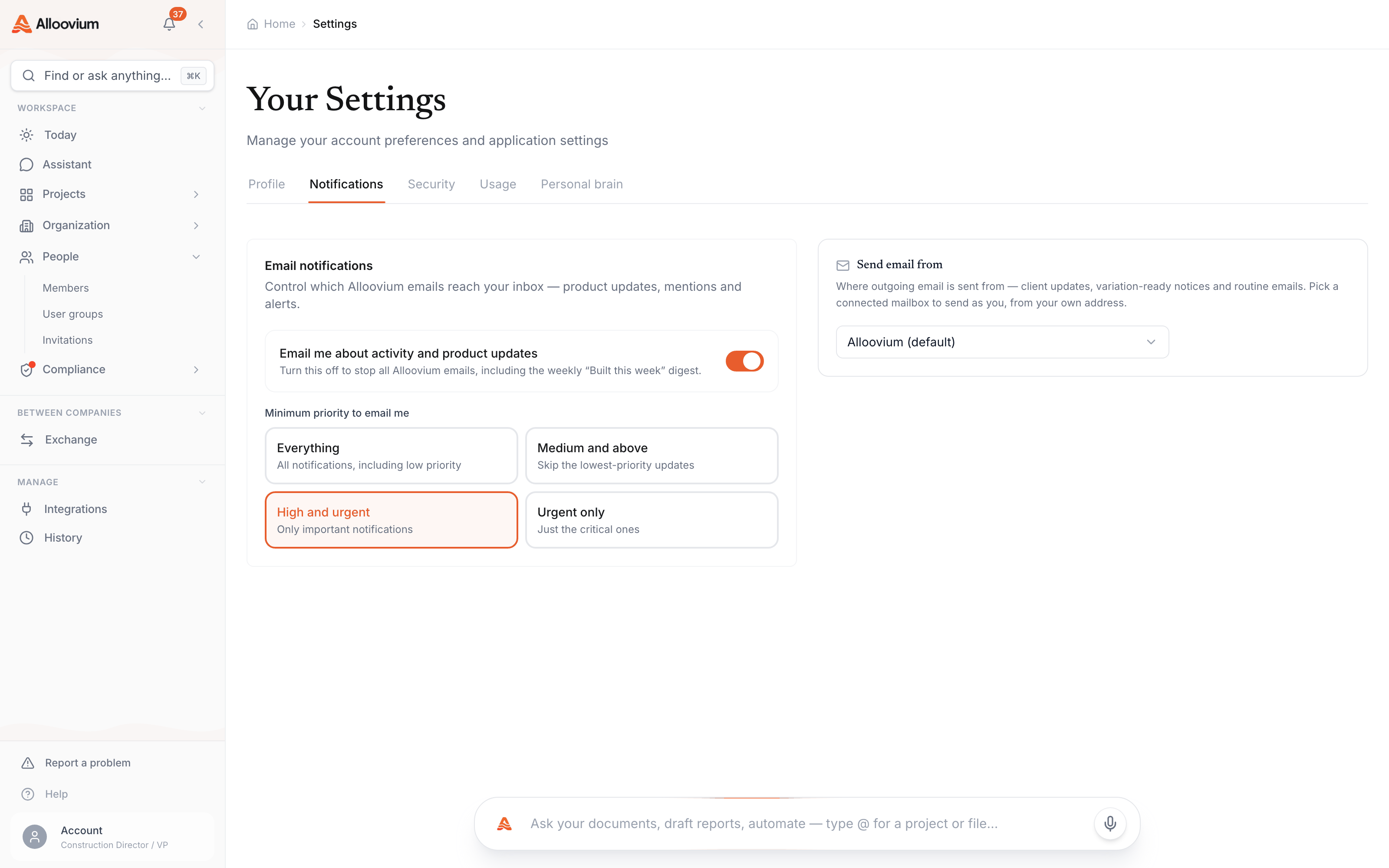
| Email notifications | One switch. On, and notifications that clear your priority threshold are also emailed to your account address. Off, and everything stays in-app only. |
| Minimum priority | The threshold for email. Four levels: Everything · Medium and above · High and urgent · Urgent only. |
A sensible low-noise setup is email on with the threshold at High and urgent — you hear about failures and approvals when you are away from the app, without a message per processed document. Changes apply immediately; there is no save step.
The weekly digest
Alongside per-event email, Alloovium sends a weekly digest — a single summary of what happened across your projects since last week, so even a quiet email threshold never means losing the thread.
One email, once a week
The weekly digest is the safety net: even with email notifications off or the threshold set high, the digest keeps a once-a-week summary arriving so nothing important slips past unseen.