
DOCUMENTS & PROJECTS
Lessons
Every builder has a job that bit them — the fixing spec that corroded, the clause that cost a claim, the sequence that stole three weeks. Lessons turn those scars into a working memory: captured once, and resurfaced automatically the next time the same trap appears.
Overview
Lessons live in your company workspace, under Organization. Each one records what happened, why it mattered, and what to do differently — tied to the documents and the project where it was learned. Unlike a lessons-learned PowerPoint that nobody reopens, these are indexed alongside your documents: the assistant knows them, reviews check against them, and new work that rhymes with an old mistake gets flagged.
The point is the resurface, not the archive
A lesson’s value is realised the day it interrupts a repeat — a new spec that names the product that failed last time, a subcontract missing the clause that saved you before. Capture is cheap; the resurfacing is the feature.Capturing a lesson
From the Lessons page, from chat, or as a byproduct of the work.
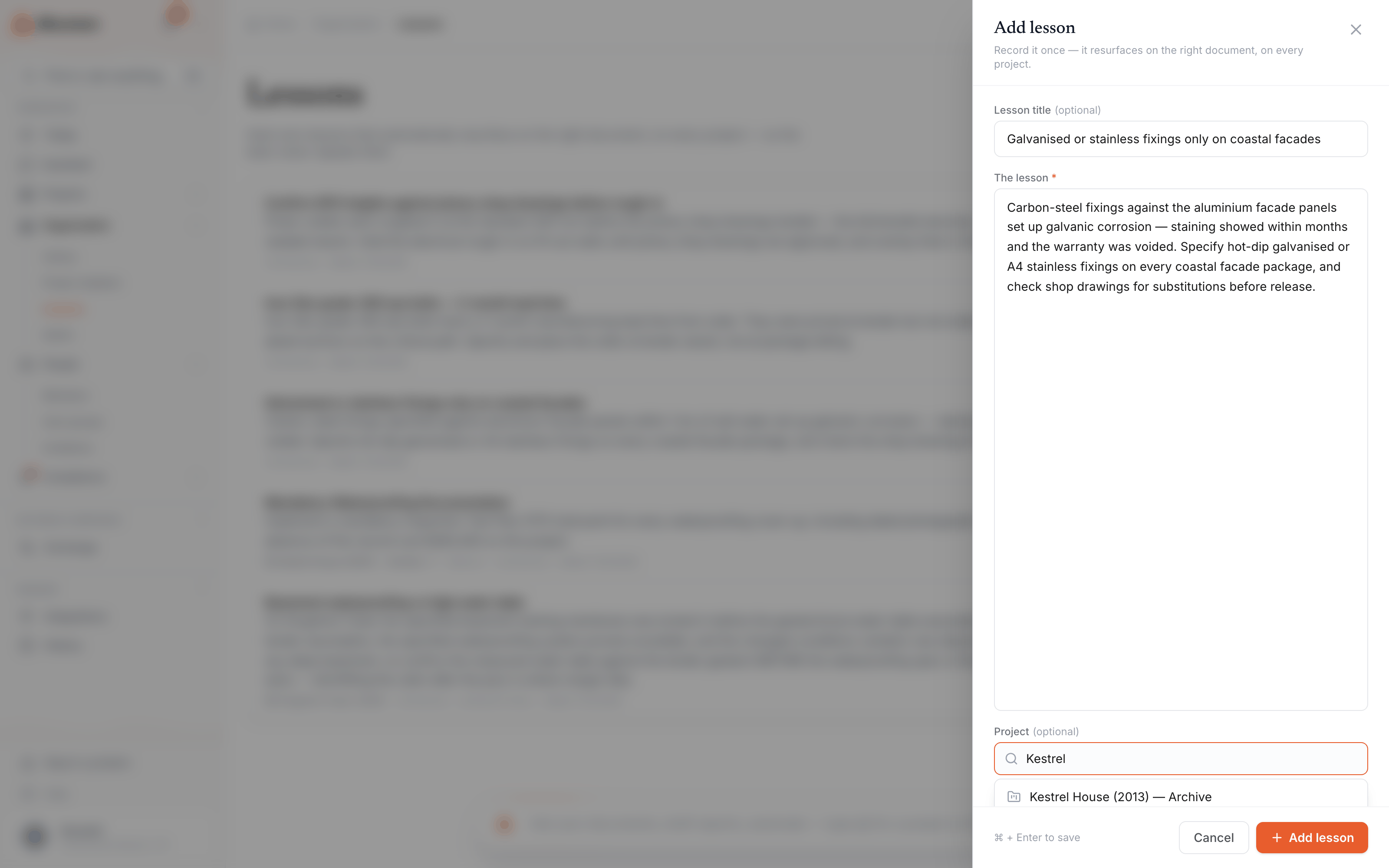
Add lessons directly on the Lessons page, or tell the assistant — “save a lesson: never accept carbon-steel fixings against stainless balustrade, Northern Depot corroded in a year and the warranty was refused.” A lesson can cite the documents that prove it, so the evidence travels with the rule of thumb.
Lessons also emerge from the work itself: a dispute post-mortem, a diary entry that records how a problem was solved, a review that caught something expensive. When Alloovium spots a moment worth keeping, it proposes the lesson — you approve the wording before anything joins company memory.
How lessons come back
Matched against new documents and decisions, with the receipts attached.
| Where | How a lesson surfaces |
|---|---|
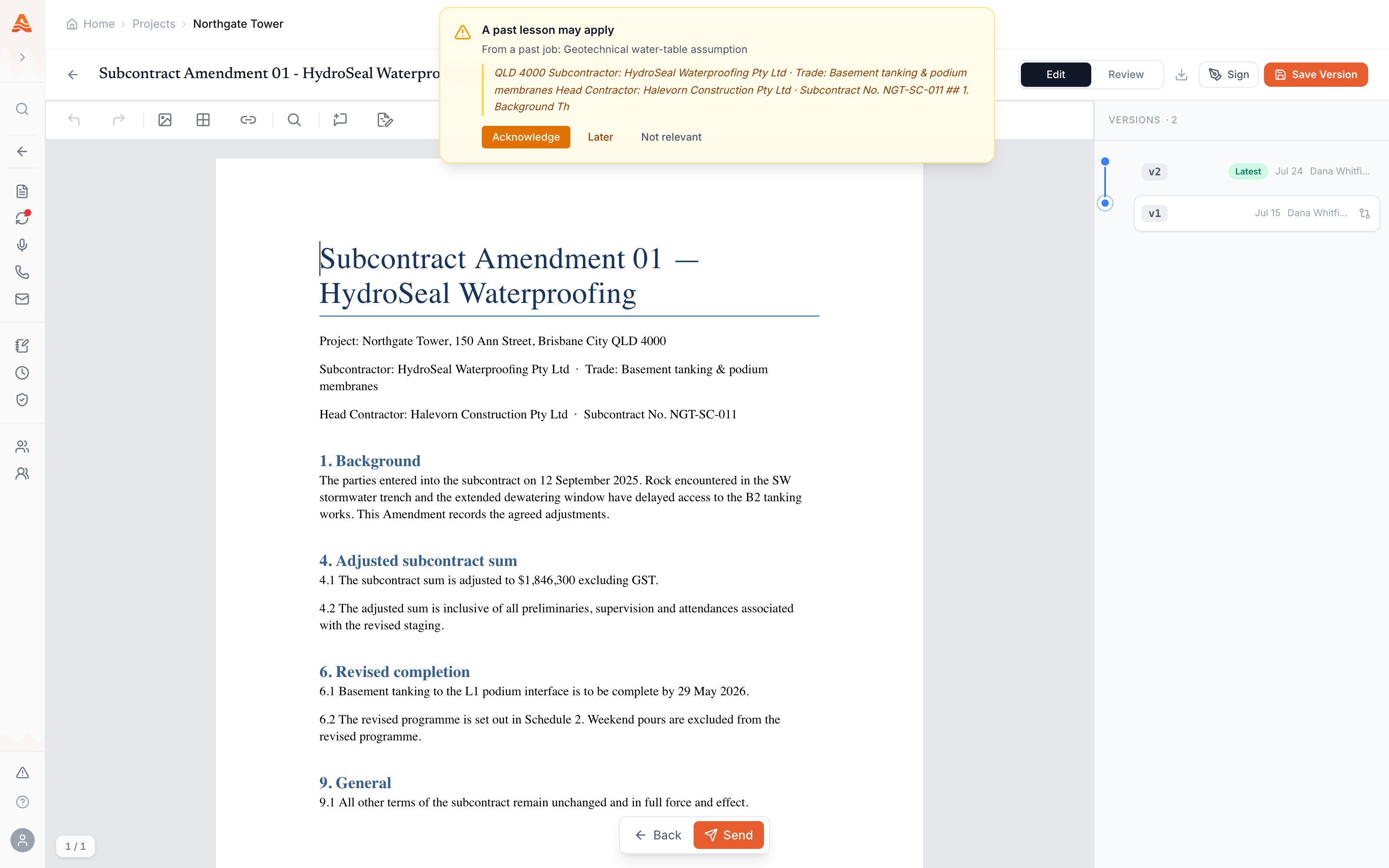
| Arriving documents | A new spec, drawing, or subcontract that matches a lesson gets flagged at review — before the order goes out. |
| The assistant | Answers that touch a lesson cite it alongside the documents, so the past job is part of the answer. |
| Watch tags | Phrases cut from hard-won lessons (a failed product, a risky term) are checked against every arriving revision. |
Video · ~2 min
A lesson that came back
Capture a lesson from a past defect — carbon-steel fixings against stainless balustrade — then watch it resurface when a new spec names the same product: the flag at review, the lesson cited in the assistant's answer, and the RFI that heads off the repeat.
What a good lesson looks like
Specific enough to match; short enough to read.
The lessons that pay for themselves name the trigger, the consequence, and the rule. A strong pattern: situation → what went wrong → what we do now. “Galvanic corrosion: carbon-steel fixings against stainless balustrade at Northern Depot corroded inside a year, warranty refused — always spec 316 fixings with stainless balustrade.” Vague morals (“communicate earlier”) do not match anything; named products, clauses, and conditions do.
Availability
Capture is live; automatic resurfacing is rolling out.
The Lessons library — capturing, browsing, and asking the assistant about lessons — is available in the company workspace. Automatic resurfacing against arriving documents is newer and enabled per workspace as it rolls out; where it is not yet on, lessons still answer through the assistant and reviews.