
DAILY WORKFLOW
Email Queries
Project email is where commitments hide — approvals given in a reply, dates agreed in a thread, an attachment nobody filed. Email queries let you ask across your synced inbox the same way you ask across your documents, and get a cited answer back.
Overview
Once your mailbox is connected through the Outlook or Gmail integration, Alloovium reads project-relevant threads and their attachments into the same searchable corpus as your documents. Ask “did the superintendent ever approve the revised propping sequence?” and the answer comes back with the exact email cited — sender, date, and the line that says so.
One question, every source
You do not have to decide up front whether the answer lives in a document or an email. The assistant searches both, and each claim in the answer is cited to wherever it was found.Video · ~2 min
Asking your inbox a question
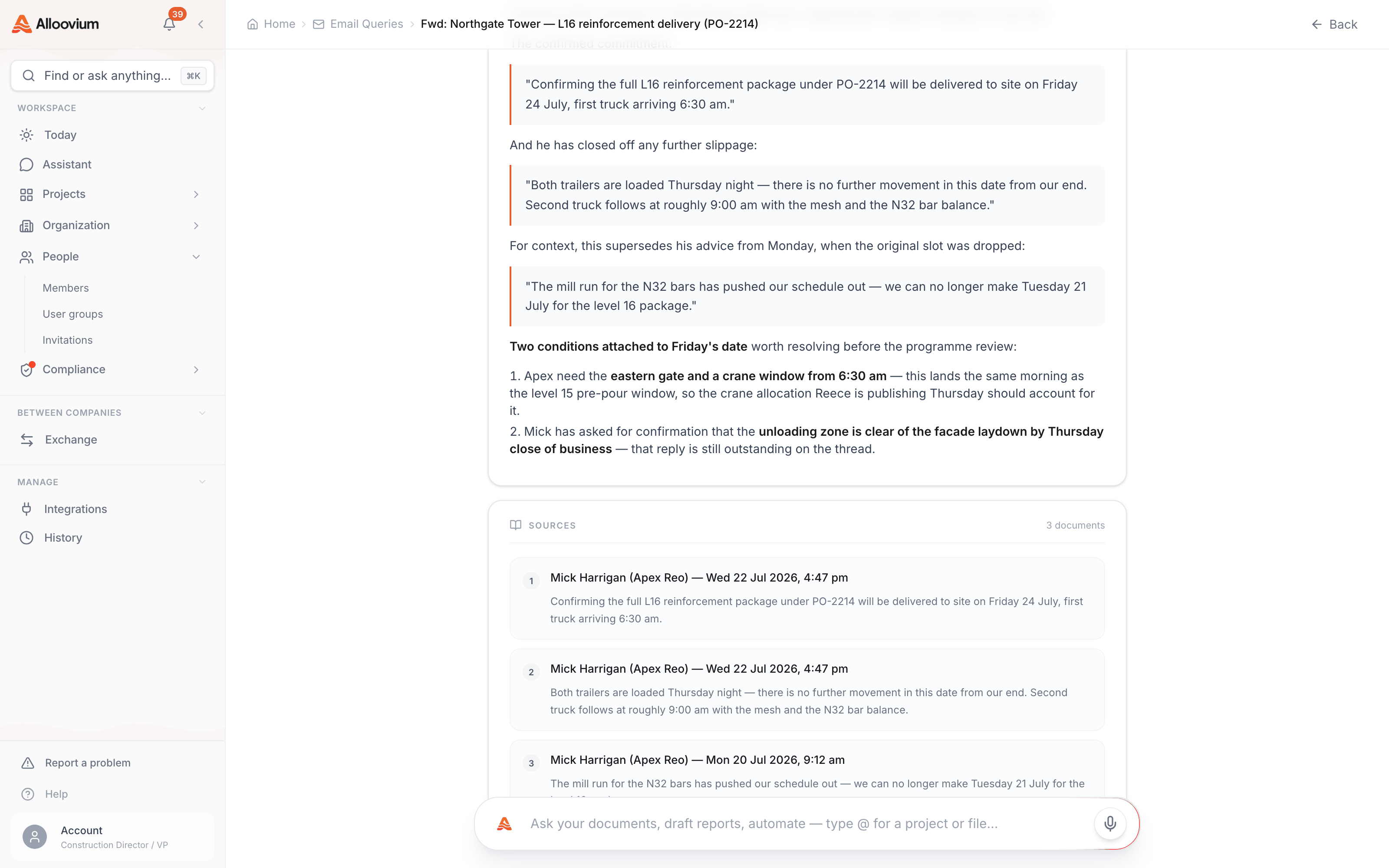
A real question — has the supplier confirmed a delivery date? — asked on the Email Queries page, answered with cited lines from the thread, then traced back to the original email via its citation.
Asking a question
From the Email Queries page, or anywhere you talk to the assistant.
The Email Queries page gives you a focused surface for mail-heavy questions — chasing a commitment through a long thread, reconstructing who said what and when, or finding the attachment that never made it to the project files. The same questions also work in the ordinary AI Assistant, where email simply participates as one more source.
| Ask something like | What you get back |
|---|---|
| “What did the client say about the variation in their last email?” | The relevant reply, quoted and cited to the thread. |
| “Has the switchboard supplier confirmed a delivery date?” | The latest commitment found across the thread, with its date. |
| “Summarise the back-and-forth on the façade panels this month.” | A short timeline of the thread with each turn cited. |
What it reads
Threads, attachments, and the project context around them.
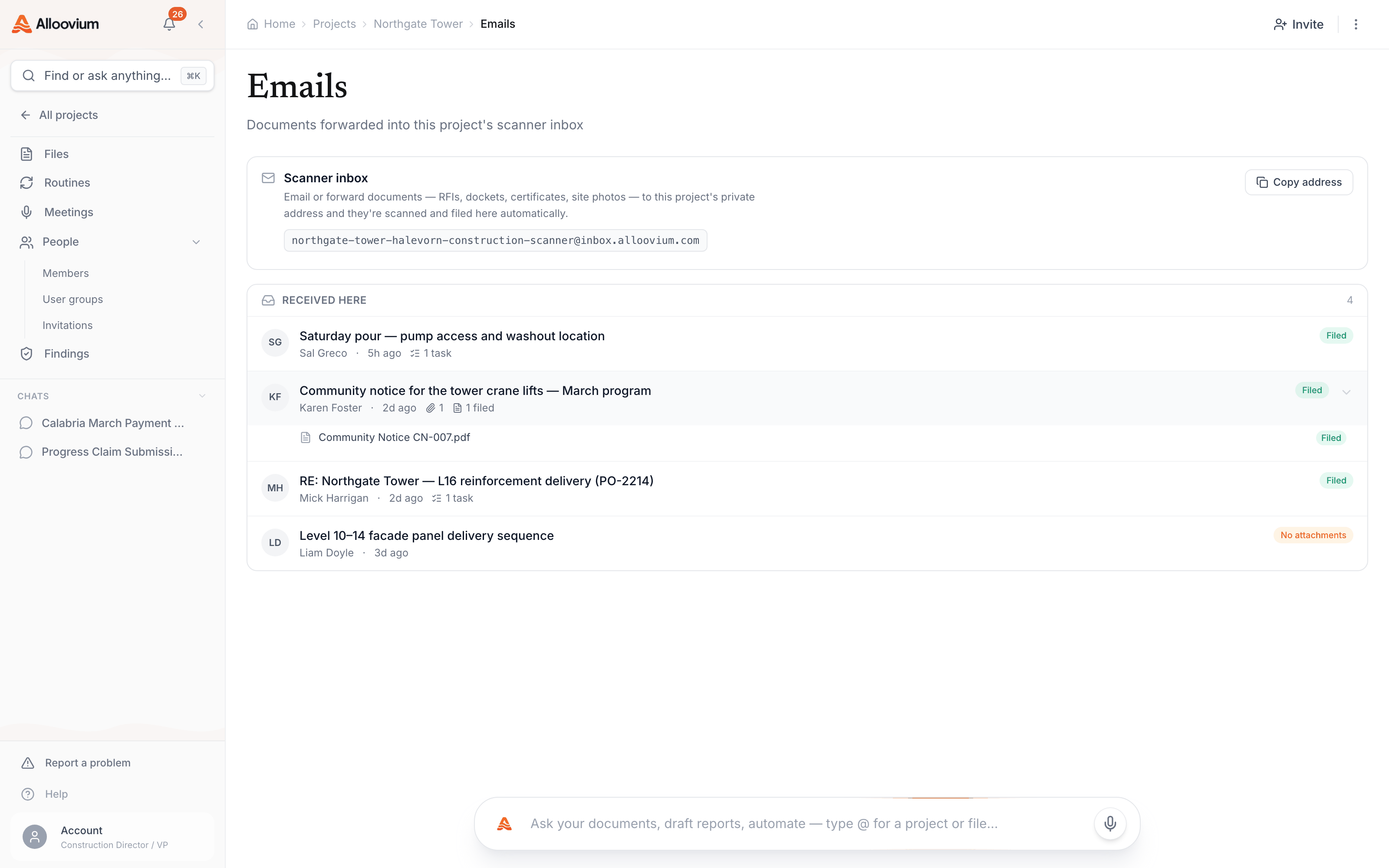
Email queries draw on the mail your integration has synced: message bodies, thread structure (who replied to what, and when), and attachments — which are processed like any other document, so a PDF sent by email is as searchable and citable as one uploaded by hand. Where a thread clearly belongs to a project, it is linked there, and shows up in the project’s Emails tab alongside its files.
Action items from email
Commitments in your inbox surface on Today, not in your memory.
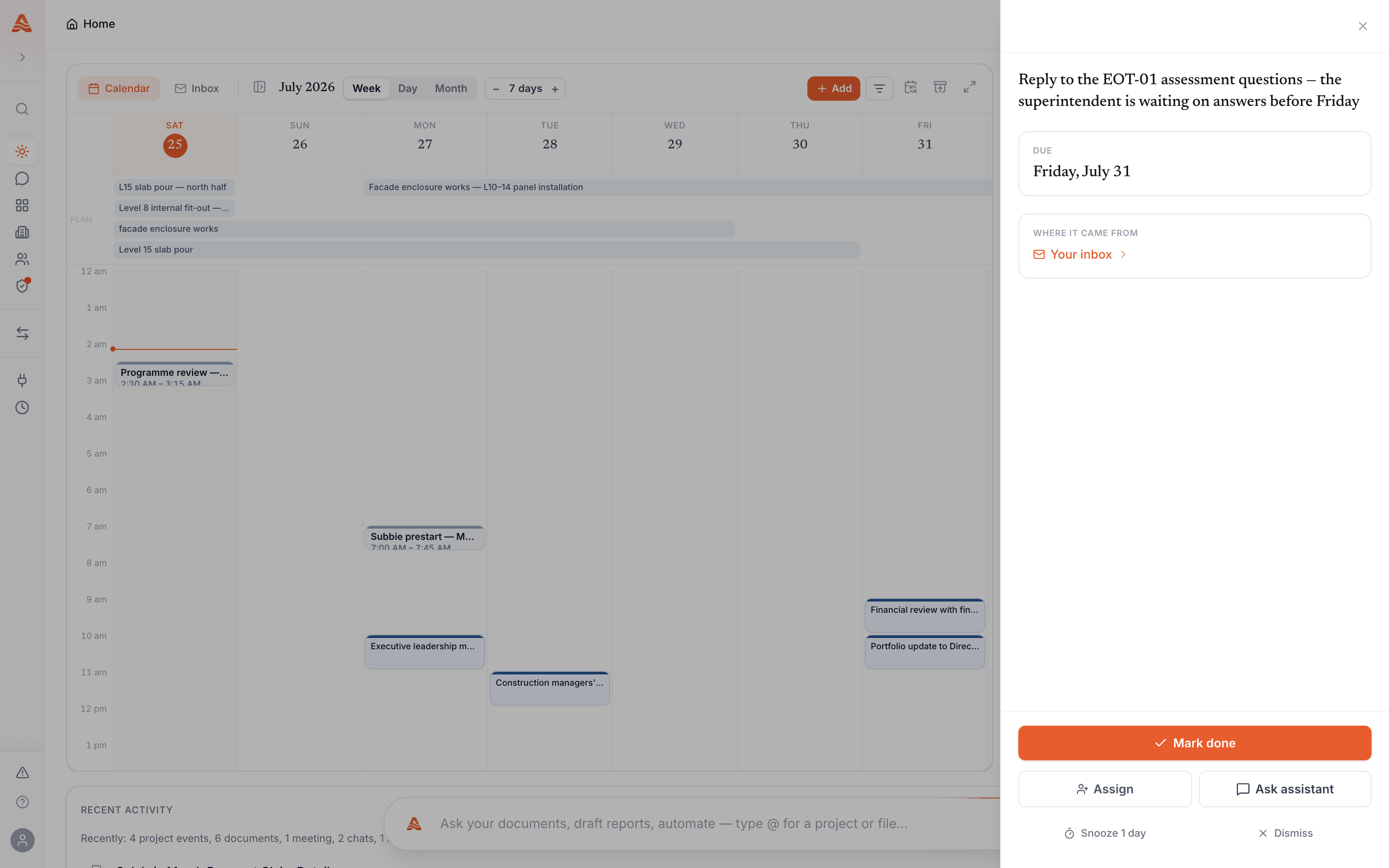
Beyond answering questions, Alloovium reads incoming project mail for things that need you: a request waiting on your reply, a date somebody committed you to, a document you were asked to provide. These surface as action items on your Today page, each linked back to the email it came from — so the inbox stops being a place where obligations quietly age.
Privacy
Your mailbox is yours.
A connected mailbox is private to the person who connected it. Your teammates’ questions never search your mail, and yours never search theirs — email joins the shared project corpus only through the threads linked to a project. See our data handling commitments for how synced content is stored and protected.