
Getting started
Key features
Everything Alloovium can do, in one tour. Each capability links to its full guide.
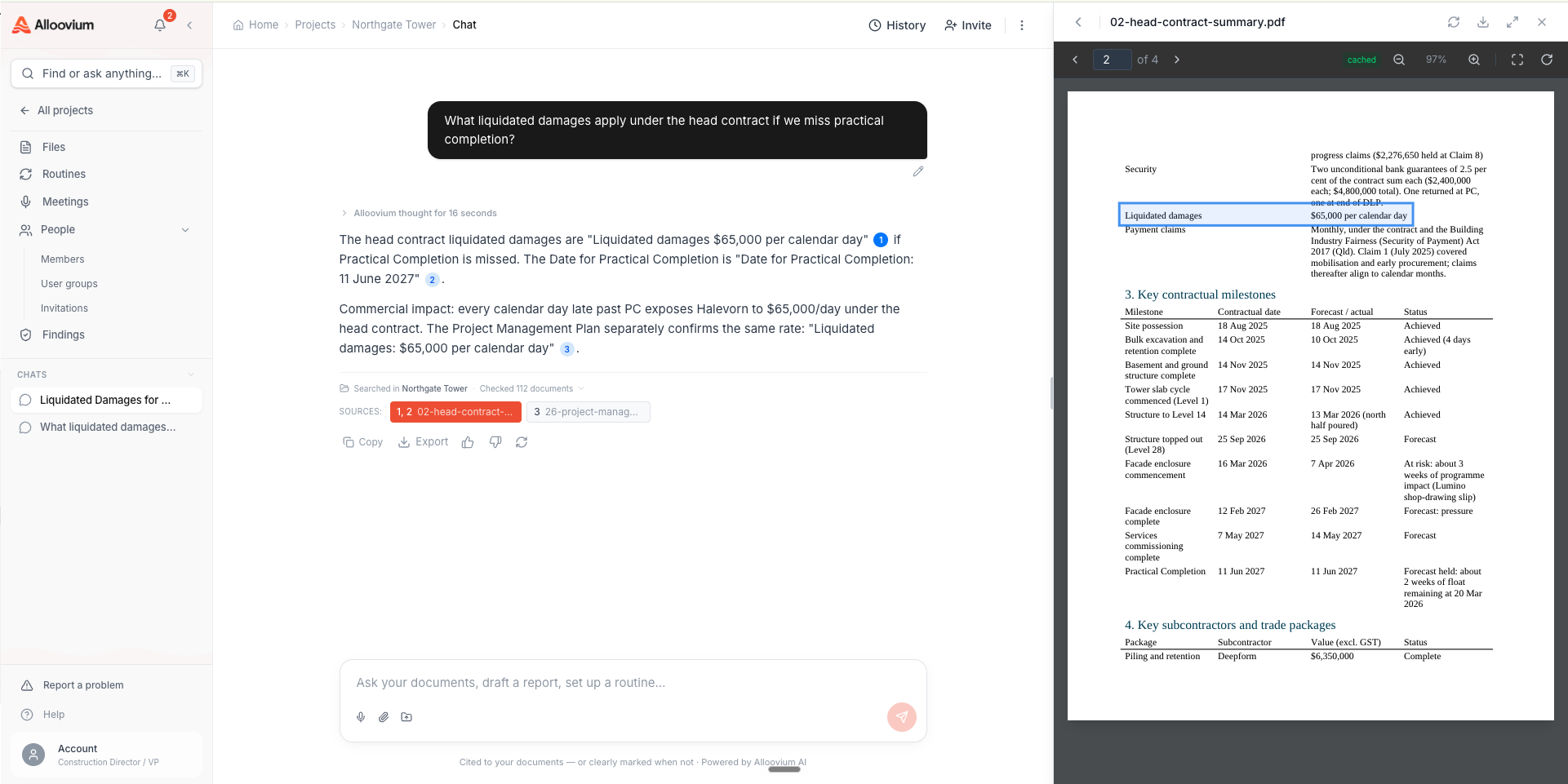
Ask and verify
The core promise: plain-language answers with citations back to the exact source.
AI Assistant
Ask about a single project or across your whole company. Every answer carries numbered citations — click one and the source opens with the passage highlighted. Attach files to a question, dictate by voice, share conversations with teammates, and let long answers keep generating in the background while you work.
Command palette
Press ⌘K anywhere to jump to a document, project, or person. It's the fastest way around the app once your record grows.
The project record
Upload once. Alloovium reads, files, and indexes everything — and keeps the history.
Projects and files
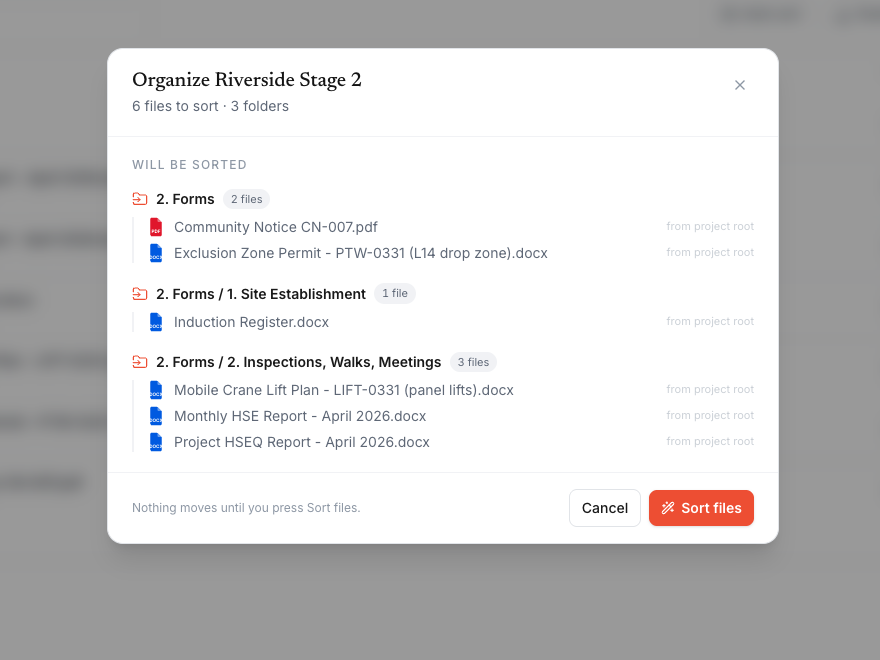
One workspace per job. Drag in PDFs, Word, Excel, PowerPoint, and whole folders; OCR, classification, and indexing run automatically, and Auto-sort proposes the right folder for every file — reviewed and editable before anything moves.
Drawing intelligence
Drawings get their title blocks read automatically — sheet number, revision, discipline, date — so "latest revision of A-101" is an answerable question.
Project timeline
Every event — uploads, emails, claims, variations, AI actions — lands on the project timeline. Assistant answers cite timeline records with [T#] chips that deep-link straight to the event.
Drafting with receipts
Documents drafted from your record, with every claim traceable to its source.
Document generation
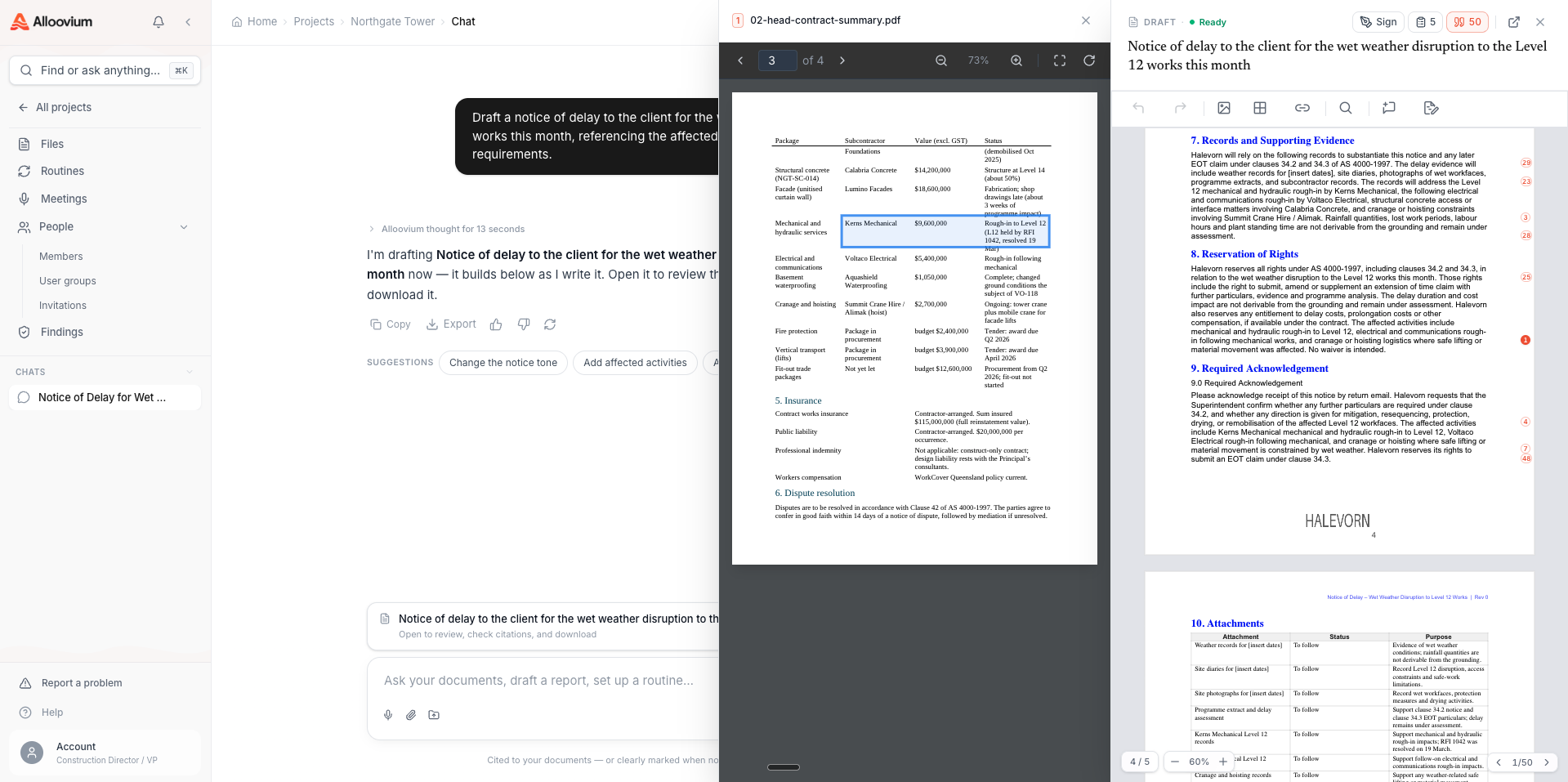
Describe what you need — a delay notice, an RFI response, a WHS plan — and Alloovium drafts it grounded in your project files, auto-matching your library templates. Inline citations, export to Word, and native e-signature to sign in place.
Template filling
Drop in a blank Word template and Alloovium fills every field from your documents. The output is tracked changes — accept or reject each fill, each one citing its source.
Reports
Monthly reports, management plans, tender reviews, and infrastructure reports — assembled from diaries, registers, and minutes, in your own template, reviewed before anything ships.
Routines
Routines do the recurring work — on a schedule, on conditions, with approval gates.
Routines
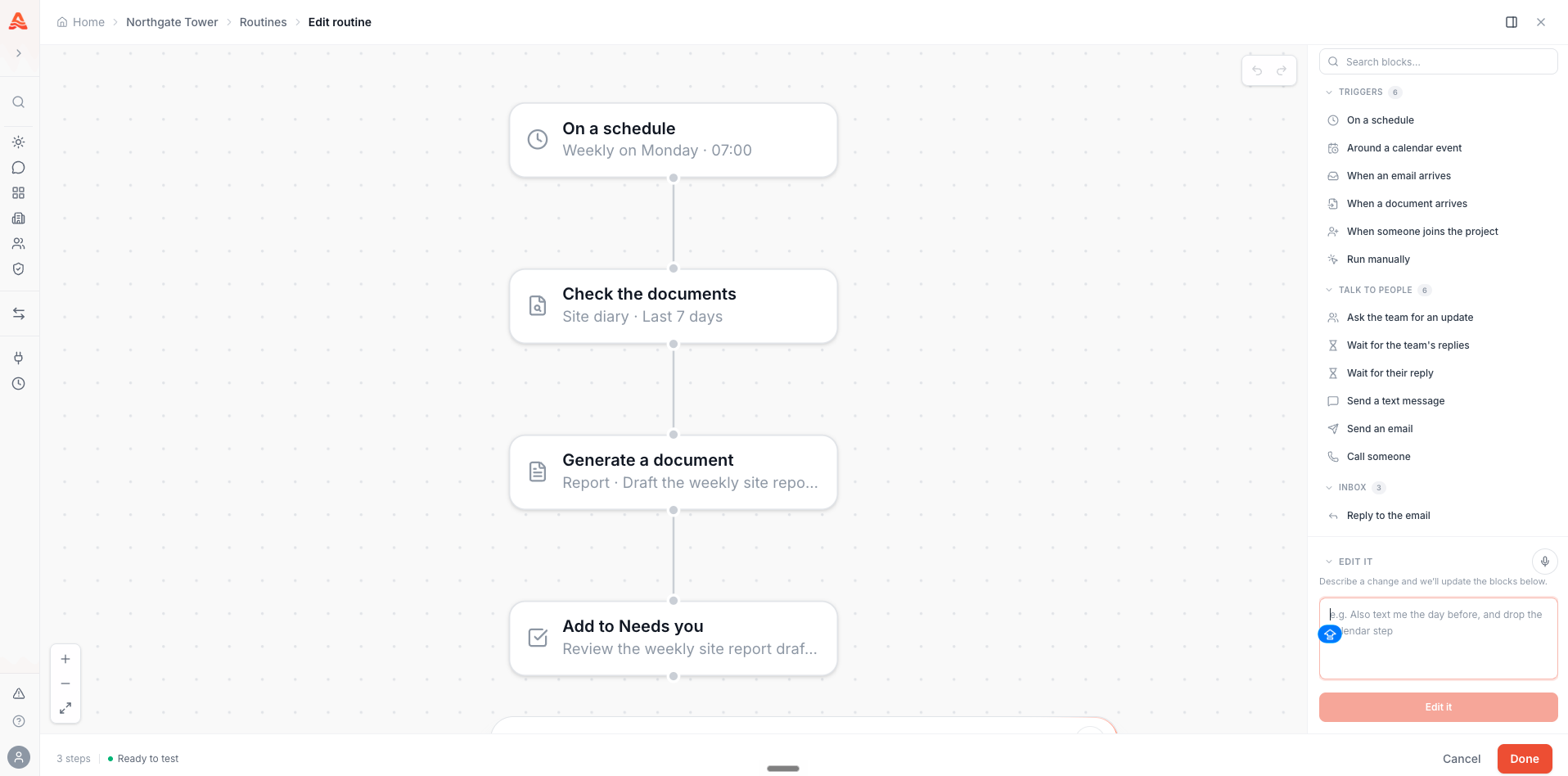
Build a chain of blocks: a trigger, then actions — check documents, ask the team, draft a document, send it. Routines can pause for your approval, wait for an external reply and chase it if none comes, and run on schedules or conditions. Repeated asks in chat offer an Automate this chip that builds the routine for you.
Video · ~2 min
A routine that waits and chases
A routine sends a request, pauses on 'await reply', chases the recipient automatically after the deadline, and resumes when the reply lands.
The daily loop
Alloovium runs alongside your day — the cockpit, your meetings, your inbox, the site.
Today
The daily cockpit: your calendar spine, the "Needs you" queue of approvals and flags, action items, and the activity feed across your projects.
Meetings
Record or upload a meeting and get the transcript, summary, and extracted action items, decisions, and risks — each traceable to the moment it was said.
Email and site
Connected mailboxes make email part of the record — ask questions across threads. From site, a knock-off phone call or SMS becomes a diary entry, a drafted variation, an assigned action.
Commercial
The money loop — variations, claims, and the evidence behind them.
Variations
Changes get caught where they first appear — a site call, an email, a minute — and walked through intake to a drafted variation and a live register with cost and time impact.
Claim evidence
When money is contested, assemble the evidence pack — notices, site records, correspondence — every entry cited to its source document.
Across companies
Documents move between organisations with provenance, approvals, and signatures.
Exchange
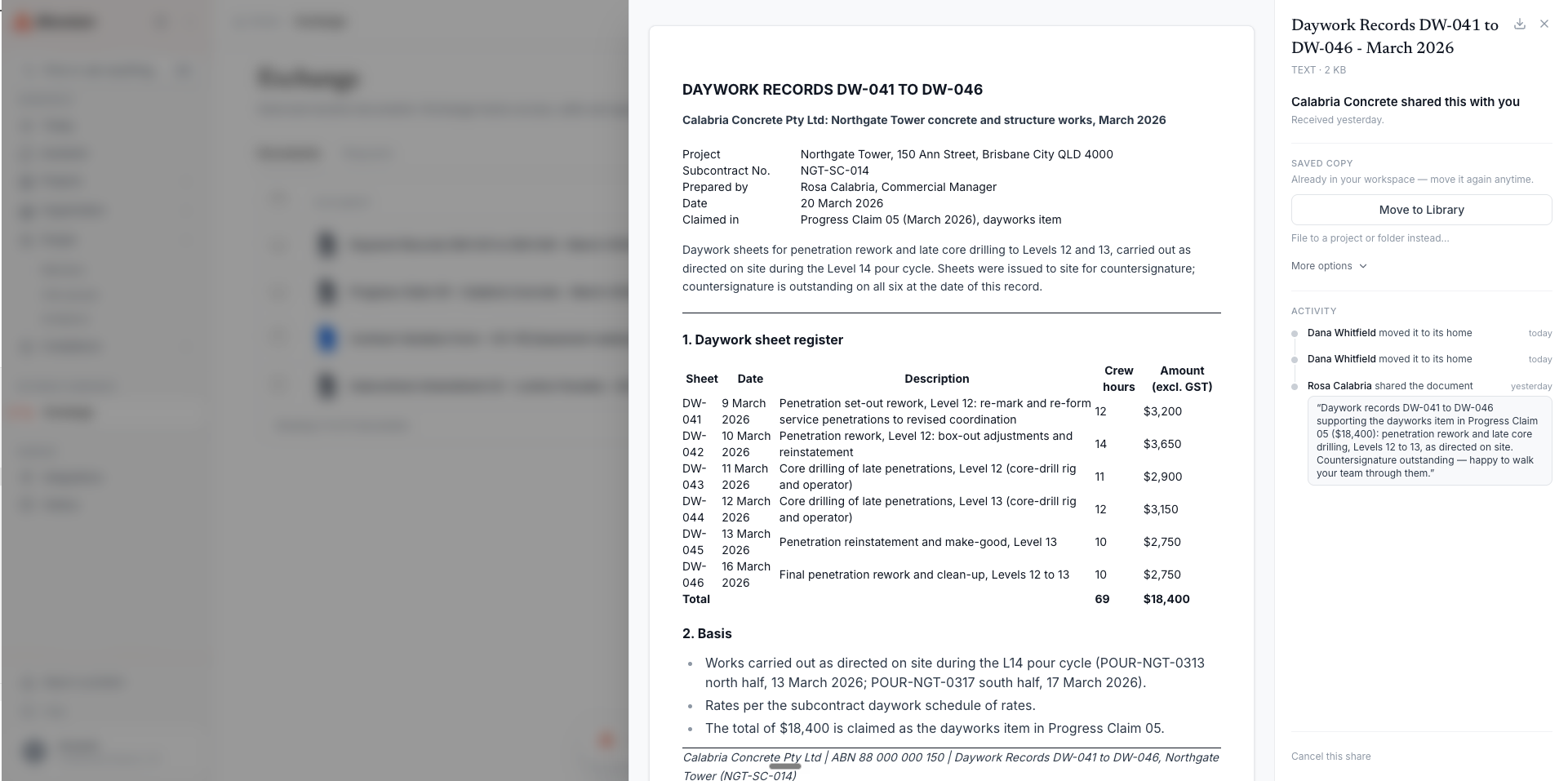
Send document packages to other companies with a hash-chained audit trail. Recipients preview, accept or reject, and sign in place — the signature bound to the exact content. Paragraph-level DOCX diffs show precisely what changed between revisions.
Working with Trades
The subcontractor document loop through Exchange — submissions with review outcomes, document requests, and tracked transmittals.
Assurance
Compliance signals, captured lessons, and audit-ready evidence.
Compliance
Expiring credentials, unsigned records, and conformance gaps surface before they bite — graded against the evidence actually on file. Assemble a frozen, shareable audit pack when the auditor calls.
Lessons
Capture what a mistake cost once, and Alloovium watches for the same pattern on every later project — resurfacing the lesson before the order goes out.
In the tools you already use
Your mailbox and 15+ connected systems.
Integrations
Outlook, Gmail, Google Calendar, SharePoint, OneDrive, Teams, Google Drive, Procore, and Autodesk — connected once at the organisation level, attached per project. Plus an MCP server so your own AI agents can query the record.
Want the guided version?
The Getting Started overview walks the first hour, and Use Cases applies these features to pre-tender, claims, disputes, and handover.