
DAILY WORKFLOW
History
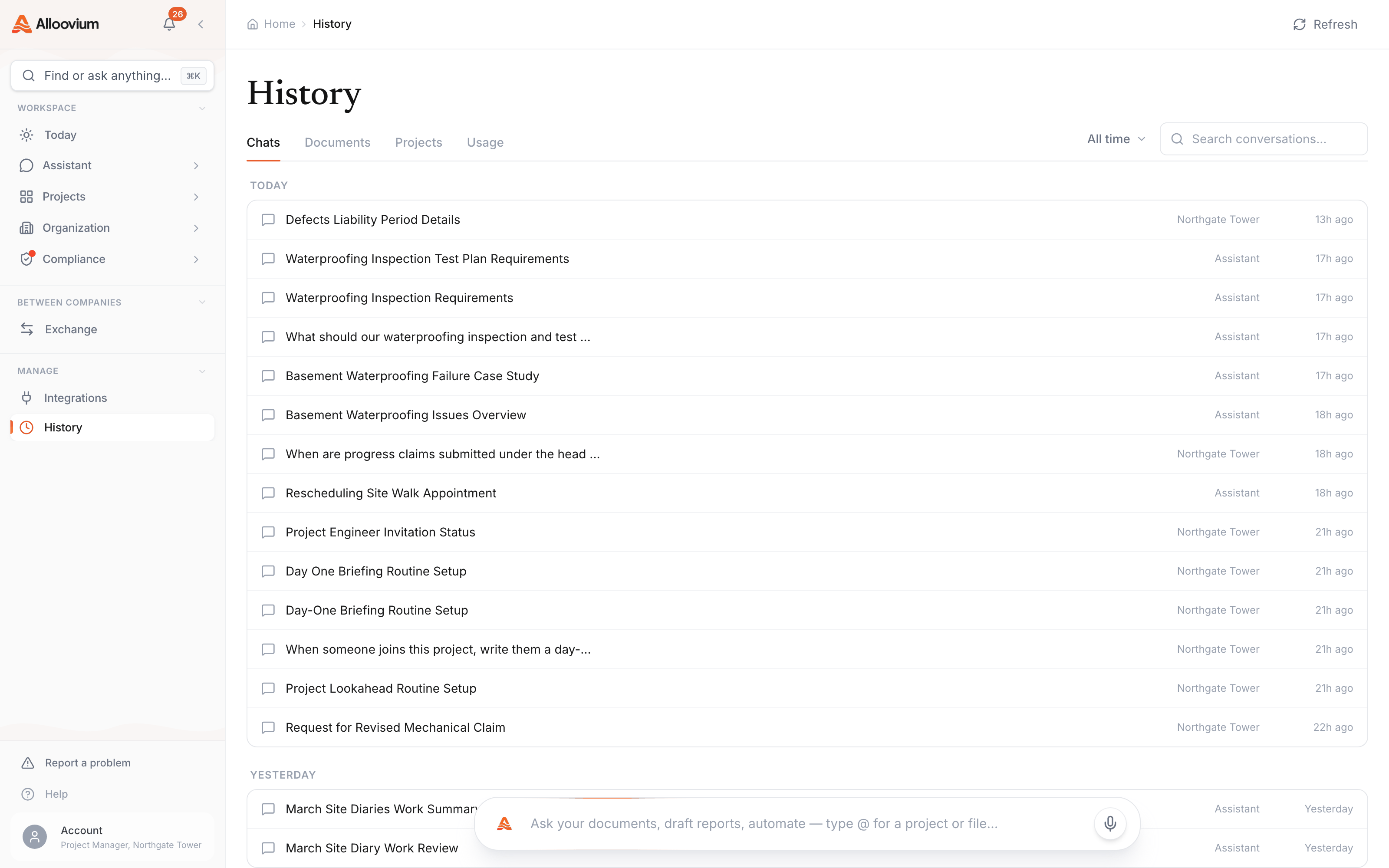
The answer you got last Tuesday is worth nothing if you can't find it on Thursday. History is the one page that holds everything you've touched — conversations, documents, projects, usage — searchable, filterable, and a click from picking up where you left off.
Overview
History lives in the sidebar under Manage and splits into four tabs: Chats, Documents, Projects and Usage. Each tab keeps its own scope controls — search, date, project — in the same header band, so narrowing any of them feels the same.
Chats
Every assistant conversation you've had, grouped by day, with search and a date filter above the list. Click any conversation to reopen it exactly where it ended — answers, citations and all. Conversations that belong to a project reopen inside that project; the rest open in the assistant. Rows can be selected in bulk (shift-click for a range) and deleted together when it's time to tidy up.
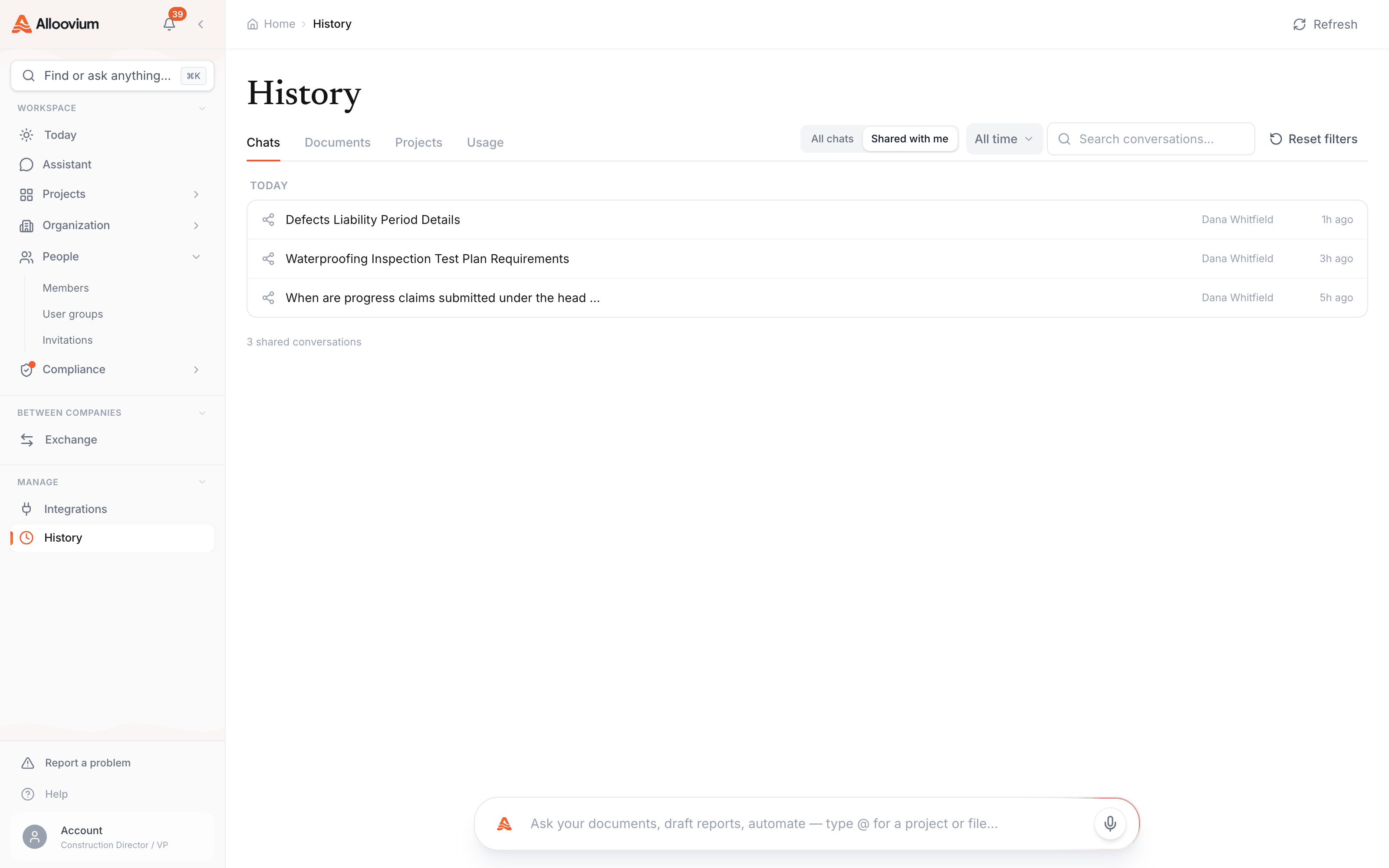
Shared with me
When a teammate shares a conversation with you, a Shared with metoggle appears beside the filters. That scope lists what's been shared to you — each row carrying the sharer's name — and opening one shows the full thread with its citations, read-only.
Documents and Projects
The Documentstab is every document you can access, searchable server-side — the search covers all pages of results, not just the rows on screen — and scopeable to a single project. It's often the fastest route back to a file when you remember the document but not where it was filed. The Projects tab is the same idea one level up: your projects with their activity, scoped and paged the same way.
Usage
The Usagetab shows what your workspace has consumed over a chosen period — useful for understanding how the team actually uses Alloovium, and for spotting when a project's activity spikes.
History is personal
Chats in History are yours — teammates don't see your conversations unless you share them, and admin-level visibility lives in the admin console, not here.