
AI Assistant
Citations
Every AI answer links back to the exact source passage it was drawn from. Click any citation to navigate directly to the document.
Citations
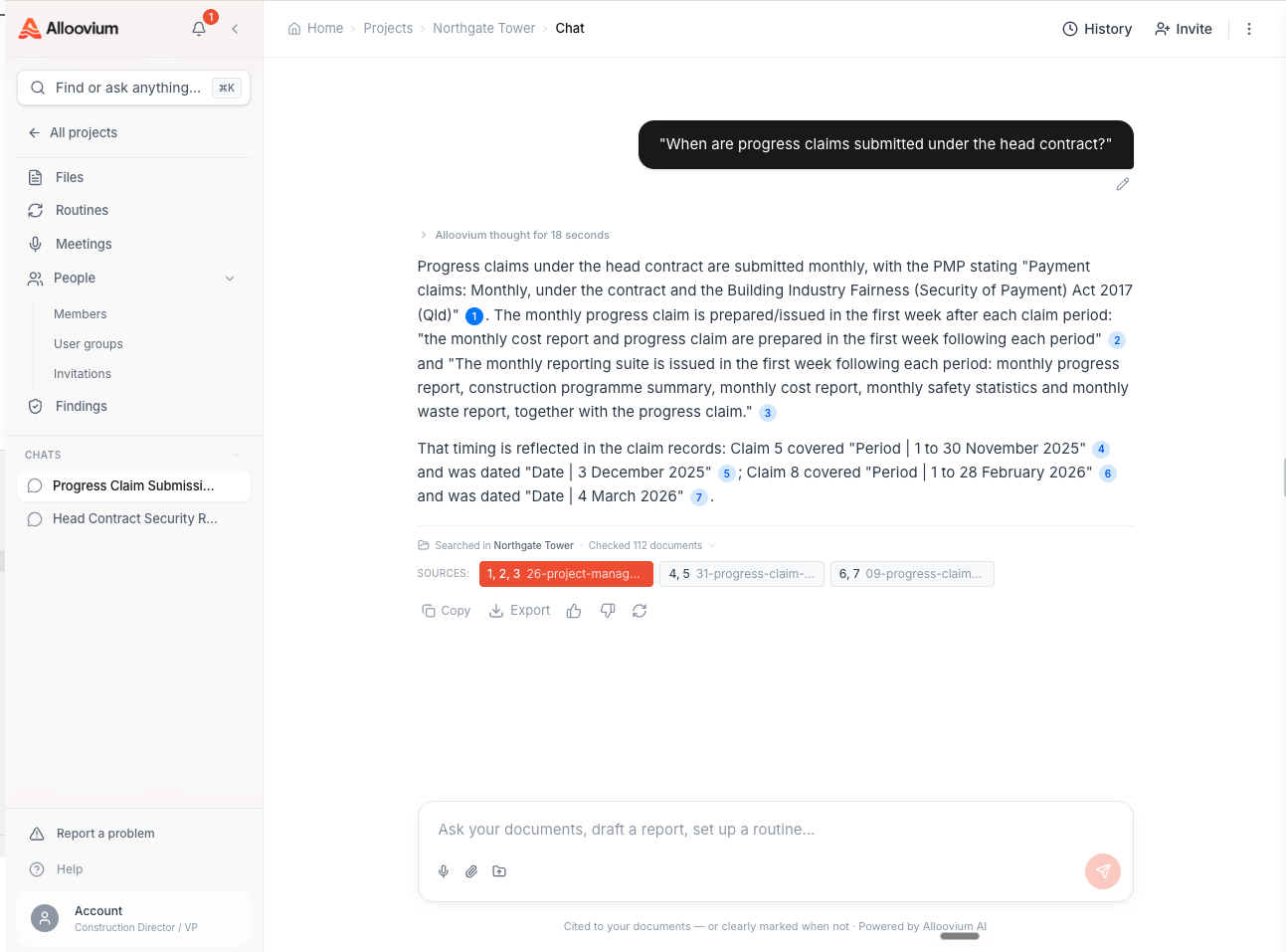
Every answer generated by the AI Assistant includes numbered citations that link directly to the source passages in your documents. Citations appear as superscript numbers within the answer text, and a full reference list appears below the response showing the document name, page number, and a short excerpt.
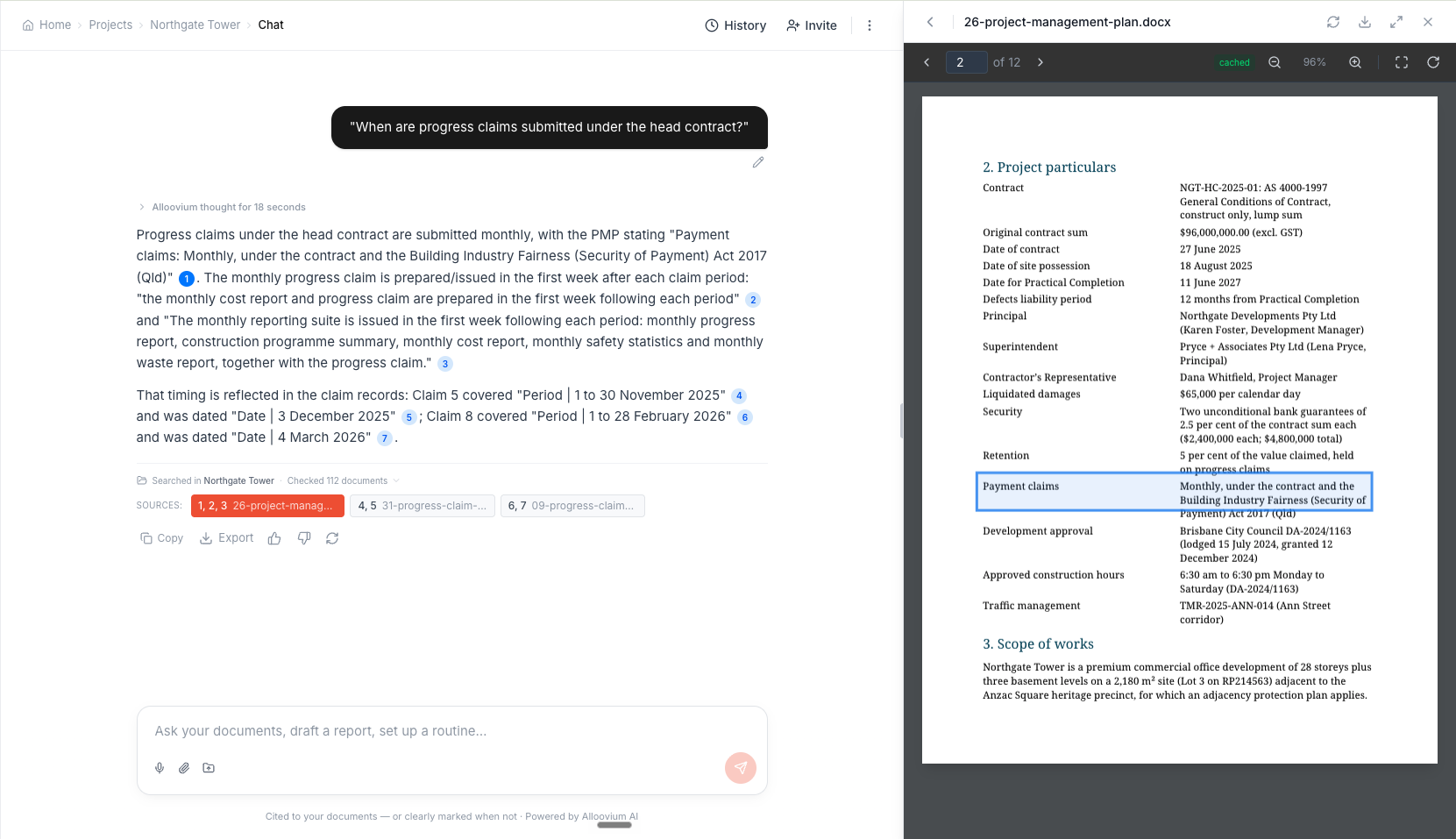
Clicking a citation opens the referenced document in the document viewer and highlights the exact passage that the assistant used to construct its answer.
Video · ~1 min
From citation to source
A question is asked, the answer arrives with numbered citations, and one citation is clicked to open the source document with the cited passage highlighted — proving where the answer came from.
Multiple sources
When an answer draws from more than one document, each citation is numbered separately so you can see exactly which portion of the answer came from which source. This is especially useful when comparing information across contracts or specifications.