
DAILY WORKFLOW
Site Calls & SMS
The best site record is the one that costs nothing to make. Alloovium can ring you at knock-off or on your site walk, hold a short spoken conversation about the day, and turn it into the diary, the flags, and the follow-ups — while you drive.
Overview
Most site knowledge dies in the ute on the way home. The site-call features exist to catch it: a scheduled call from Alloovium at a time you choose — end of day is the classic — where a voice agent asks the questions a diligent PM would ask. Anything change against the programme? Any delays, incidents, deliveries? Anything you need chased?
You talk; it listens. The conversation is transcribed, read for the things that matter, and filed — a diary entry written, a latent condition flagged, an action assigned — with the call itself kept as the source, so every line of the record traces back to your own words.
The commercial point is the gap this closes. Projects lose entitlement in the days between what the site knew at half past four and what the commercial record found out on Friday — notices go stale, and undocumented changes quietly become free work. A latent condition mentioned in the ute becomes a drafted variation with its notice clock visible before you're home, while the evidence is freshest and the clock has barely started.
Two minutes, hands free
A typical knock-off call runs under two minutes, and a mid-day site-walk call can be shorter still — thirty seconds of “hit rock, tell Dave” is enough to file a record and put two tracked actions on the board. There is nothing to type, nothing to remember, and nothing to write up later — the paperwork is the byproduct of the conversation.Hear it before you set it up
You can take the call right now: the live site-diary demo rings the number you give it, holds the same conversation, and texts you a link to the record it produced.Video · ~2 min
The knock-off call, start to finish
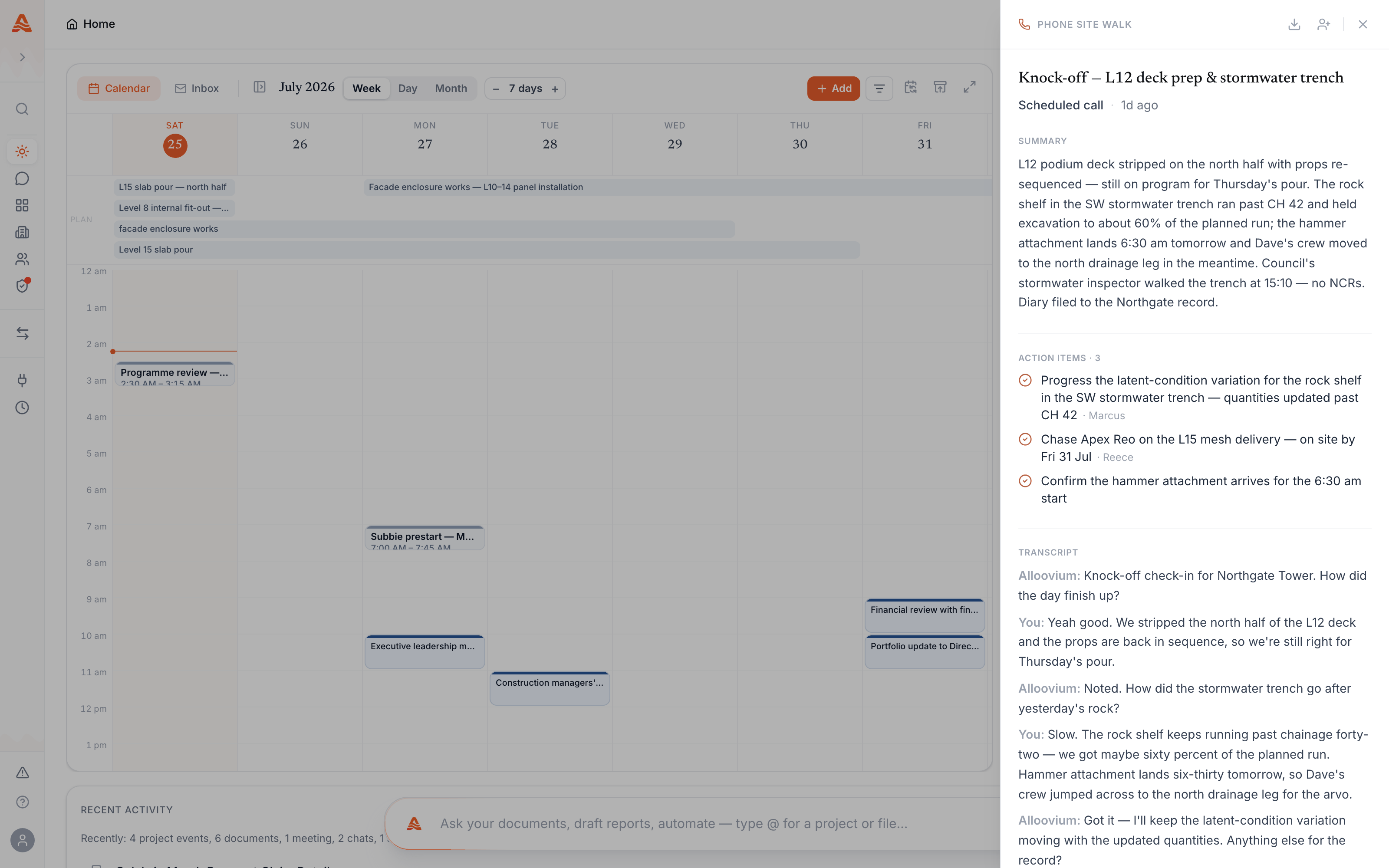
Alloovium rings at knock-off, holds a two-minute spoken check-in about the day, and the call becomes a diary entry, a flagged variation, and an assigned action — reviewed on Today afterwards.
The knock-off call
A daily check-in that writes the site diary for you.
The agent opens with the day’s essentials and follows up on what you say — if you mention hitting rock in a trench, it asks enough to write the entry properly, and checks what it hears against your project documents where it can. The output is a structured diary entry, not a raw transcript:
| You say | It files |
|---|---|
| “Hit rock in the SW trench about two metres down.” | A diary entry, checked against the geotech report — and a latent-condition variation drafted if the documents disagree. |
| “Storm stood two crews down from 1pm.” | A delay entry with the time window, ready for an EOT record. |
| “Tell Dave to chase the switchboard before Thursday.” | An action assigned to Dave with a due date, on his list by morning. |
What happens after you hang up
The call becomes records — each one traceable to the words that created it.
After the call ends, the diary entry files to the project, flagged items land where they belong — a variation draft for review, an action on someone’s list, a risk on the register — and anything that needs your sign-off appears on Today. Nothing publishes without the same human review gate that applies to everything Alloovium drafts: the call proposes, you approve.
The call itself stays attached to the record: the filed entry keeps the spoken transcript alongside the structured records it produced — so if a diary line is ever challenged, the words that created it are one click away.
And because the diary is a structured record rather than a note, it keeps working after it is filed: diary entries feed the project’s registers, and when a delay turns into a claim, the delay evidence pack cites the day’s diary alongside the weather and the programme. The record you made in the ute is the record that carries the claim.
If the diary never gets written
A same-day nudge, not a Friday audit.
The failure mode of every site diary is silence — a busy day ends, no entry gets made, and nobody notices until the record is needed. Alloovium watches for that: when a project day passes with no diary activity, it can send the responsible person an SMS nudge while the day is still in their head. Reply to the text or take a call, and the missing entry gets written the same evening instead of reconstructed weeks later.
Texting with Alloovium
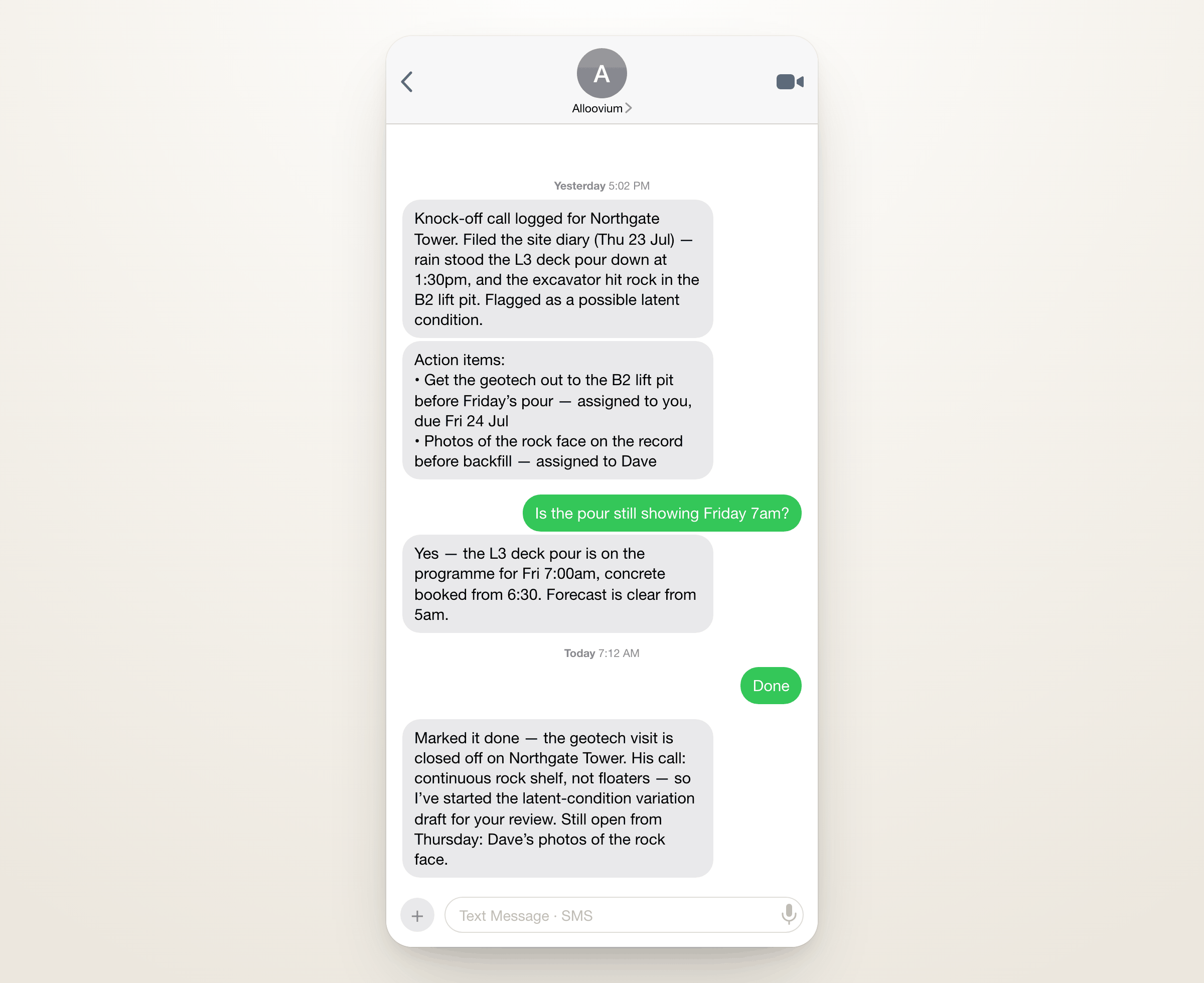
Action items and confirmations, by SMS.
Alongside calls, Alloovium can text you: the action items from your calls, reminders from your routines, and confirmations that a filed record went through. Replies work too — a quick “done” closes the loop without opening the app. Message frequency depends on what you have set up; reply STOP at any time to opt out.
Setting it up
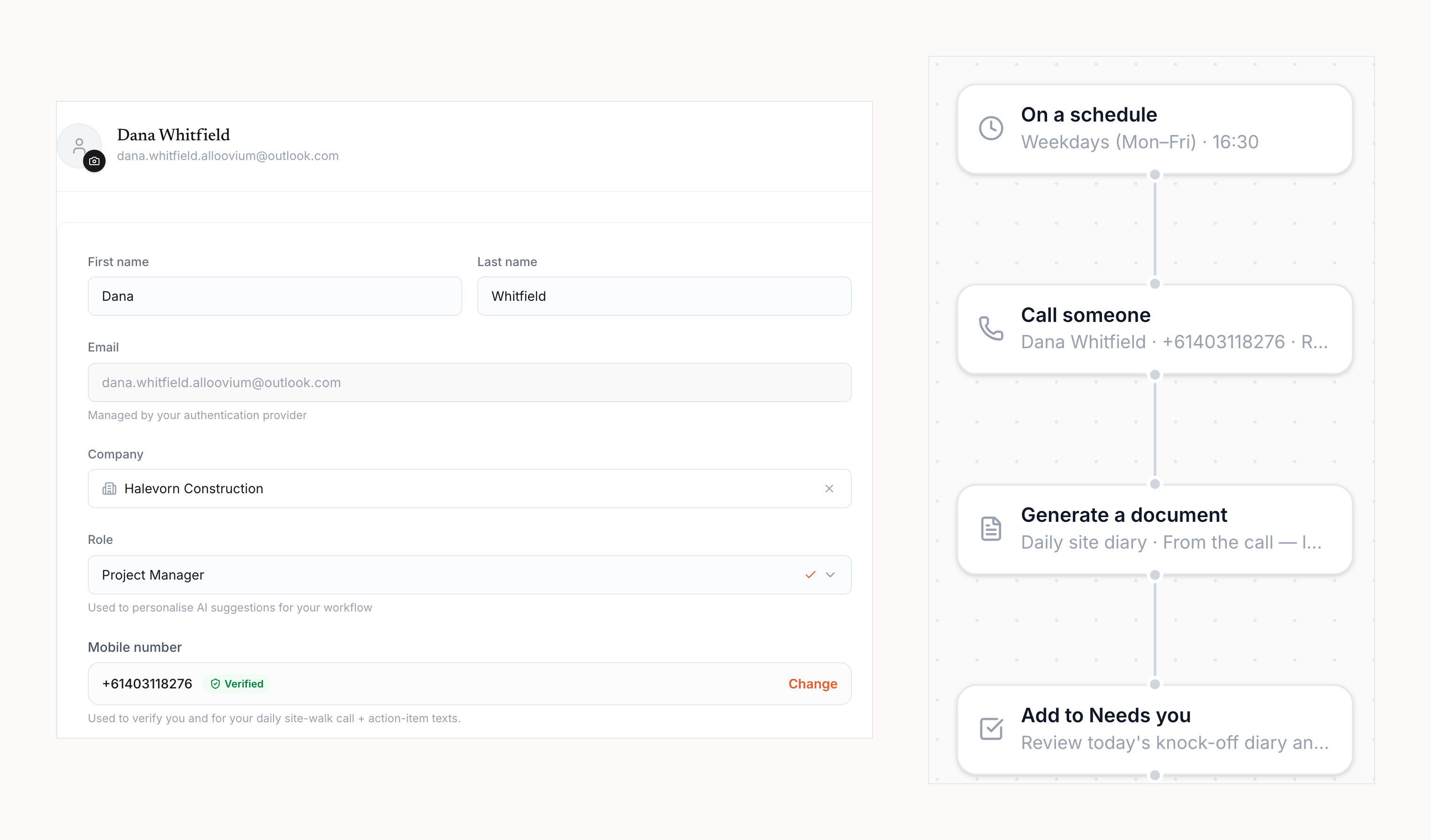
A verified number and a time of day.
Add and verify your mobile number when prompted — during onboarding, or later from Settings. Then choose when the calls should come: a daily knock-off time is the usual pattern, set up as a routine so the schedule is yours to change. The same verified number is used for SMS.
Availability
Rolled out per workspace.
Voice calls and SMS are enabled per workspace and per region as calling capacity is rolled out. If the call features described here are not visible in your account, they have not yet been switched on for your workspace — talk to your Alloovium contact to get on the list. Captured calls, transcripts, and the records they produce follow the same data handling commitments as the rest of your project data.