
COLLABORATION
Sharing
Three kinds of sharing cover most of the day: giving people access to a project, letting a teammate read an assistant conversation, and sending documents to parties outside your organisation. Each one has its own flow, and each one leaves a record.
Overview
Inside the organisation, sharing rides on groups — the same groups that carry permissions everywhere else (see Teams & Groups). Sharing a project means adding people or groups to it; there is no separate per-project role system to maintain.
Outside the organisation, sharing goes through Exchange, which sends controlled document issues to external parties with provenance — who sent what, to whom, and when.
Sharing a project
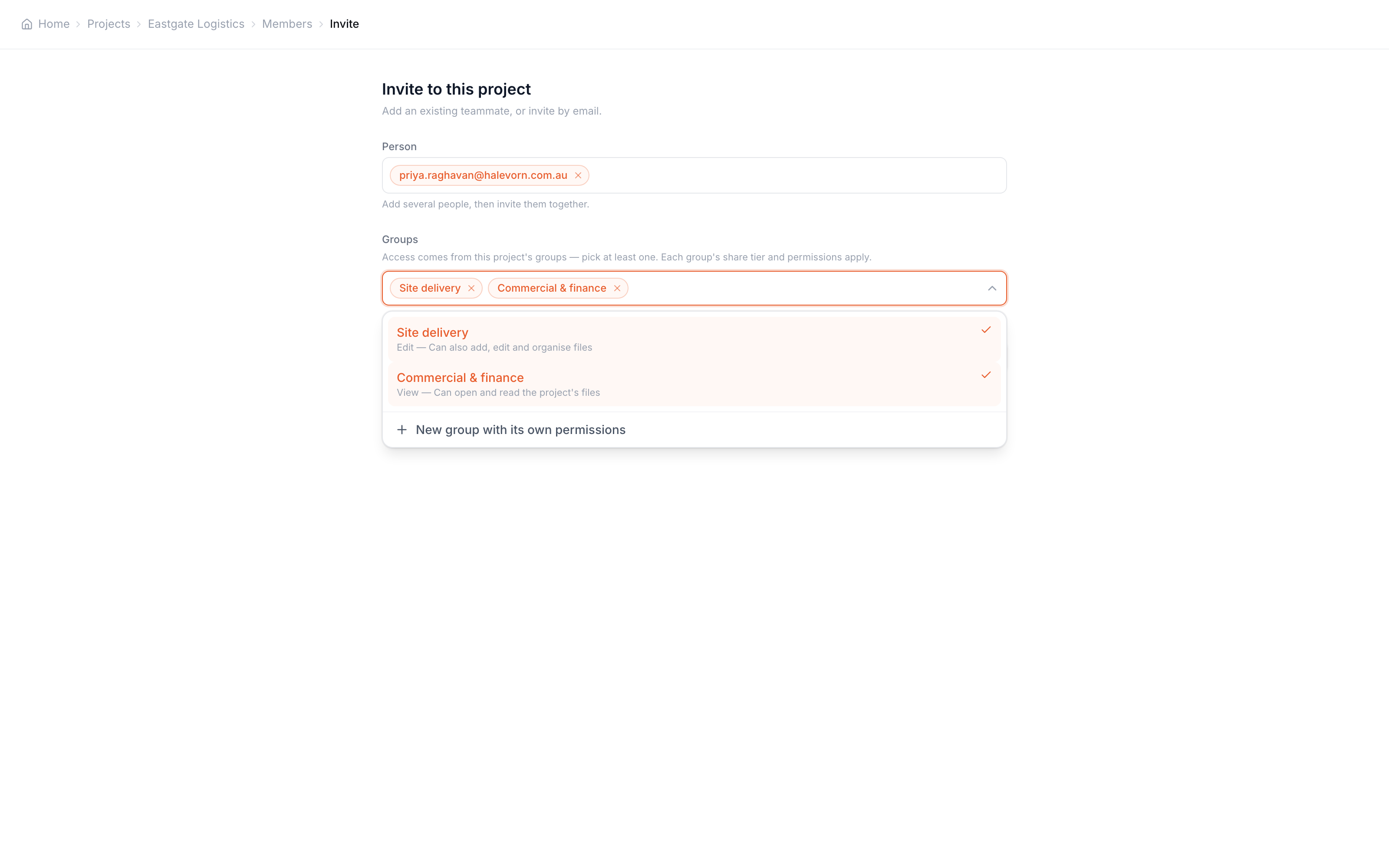
A project is shared by inviting people or groups to it. The invite has no role dropdown: you pick from groups via a multi-select, and each group’s share tier and permissions determine what its members can do there.
Stage people, groups, or both
Add email addresses for individuals, or pick whole groups. A group is the better unit when a crew needs access — its future members inherit the project automatically.
Pick at least one group
Access comes from the project's groups. If none fits, create one inline with "New group with its own permissions", optionally copying an existing group's permissions as a starting point.
Send
Individual invitees receive at minimum read access to the project; the groups they join carry anything above that. Existing members are added straight away, new people get an email invitation.
Once shared, each group on the project has a detail page showing its access tier — View, Edit or Admin — and its roster, so reviewing who can reach the project is one page, not an audit. Tiers are described on Permissions.
Sharing conversations
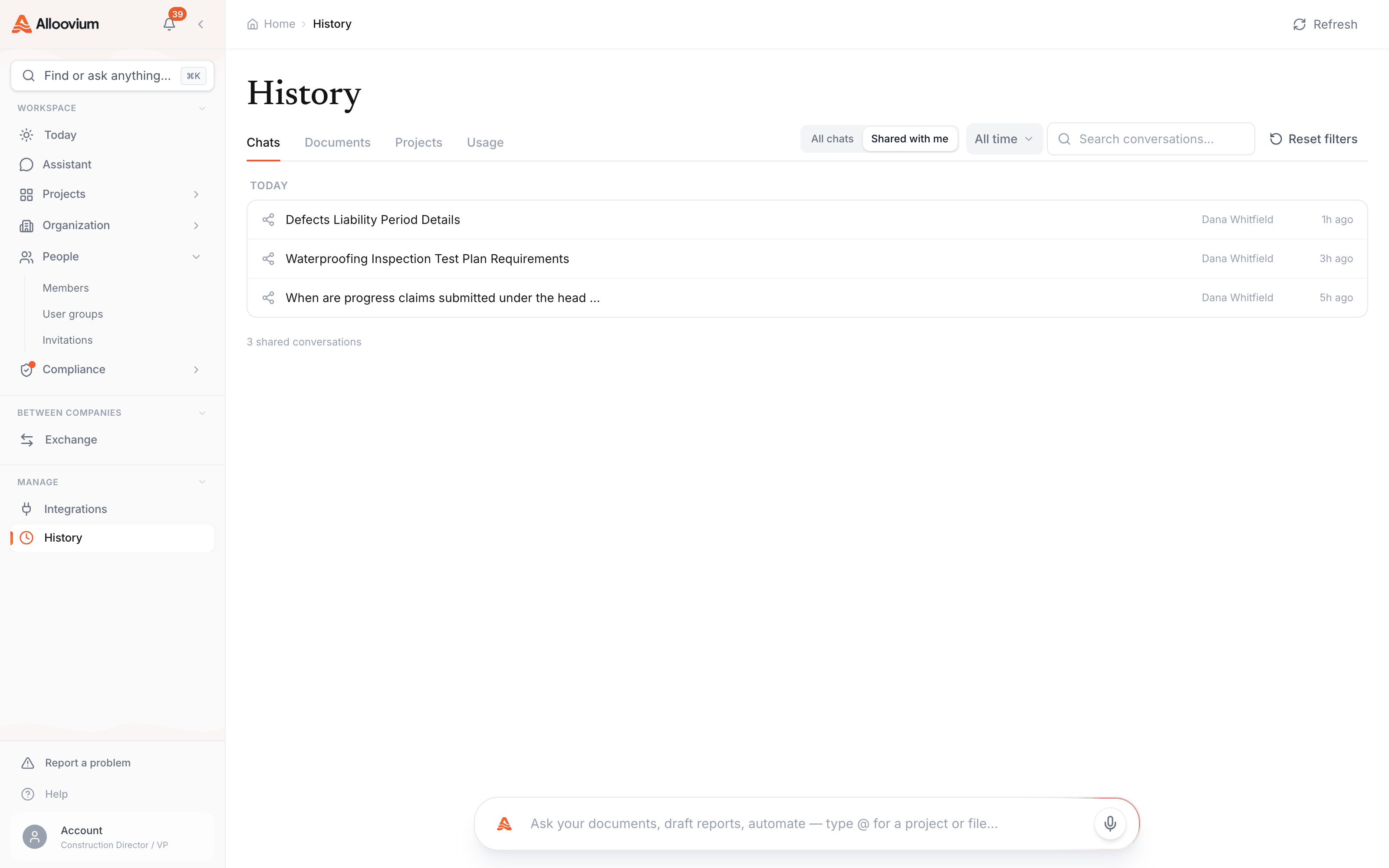
Assistant conversations can be shared with teammates. Sharing a chat lets the recipient read the conversation — the question, the answer, and the citations that back it — which is often the fastest way to hand over a finding: instead of paraphrasing what the assistant said about a clause, share the conversation and let them follow the citations themselves.
Conversations shared with you are collected under a shared view in your chat history, and a share can be revoked. Your chats stay yours until you share them — nothing is visible to anyone else by default.
Sharing documents externally
Sending documents to people outside your organisation — a subcontractor, the superintendent, a client — is Exchange’s job. An Exchange send is a controlled issue rather than an email attachment: you choose the documents, address the recipients, and the send is recorded so there is never a dispute about which revision went out, or when.
Recipients can access what you sent them without needing a seat in your workspace, and documents you receive through Exchange become part of what the assistant can retrieve and cite. The full flow — the send picker, addressing, and received documents — is covered in Exchange.
Internal vs external in one rule
If the person works in your Alloovium organisation, share through groups and projects. If they do not, send through Exchange — it exists precisely so external parties get the documents without getting your workspace.