
Routines
Template Filling
Template Filling takes a DOCX template you provide and fills its placeholders using information extracted from the documents in your project. Useful for RFIs, variation notices, transmittals, submittal cover sheets, ITPs, monthly reports, or any recurring document your team produces from a standard format.
Overview
Template Filling takes a DOCX template you provide and fills its placeholders using information extracted from the documents in your project. Useful for RFIs, variation notices, transmittals, submittal cover sheets, ITPs, monthly reports, or any recurring document your team produces from a standard format.
When to use which
If you have a blank DOCX template with placeholders, use Template Filling. If you need a brand-new document and don't have a template, use Document Generation.Template Filling
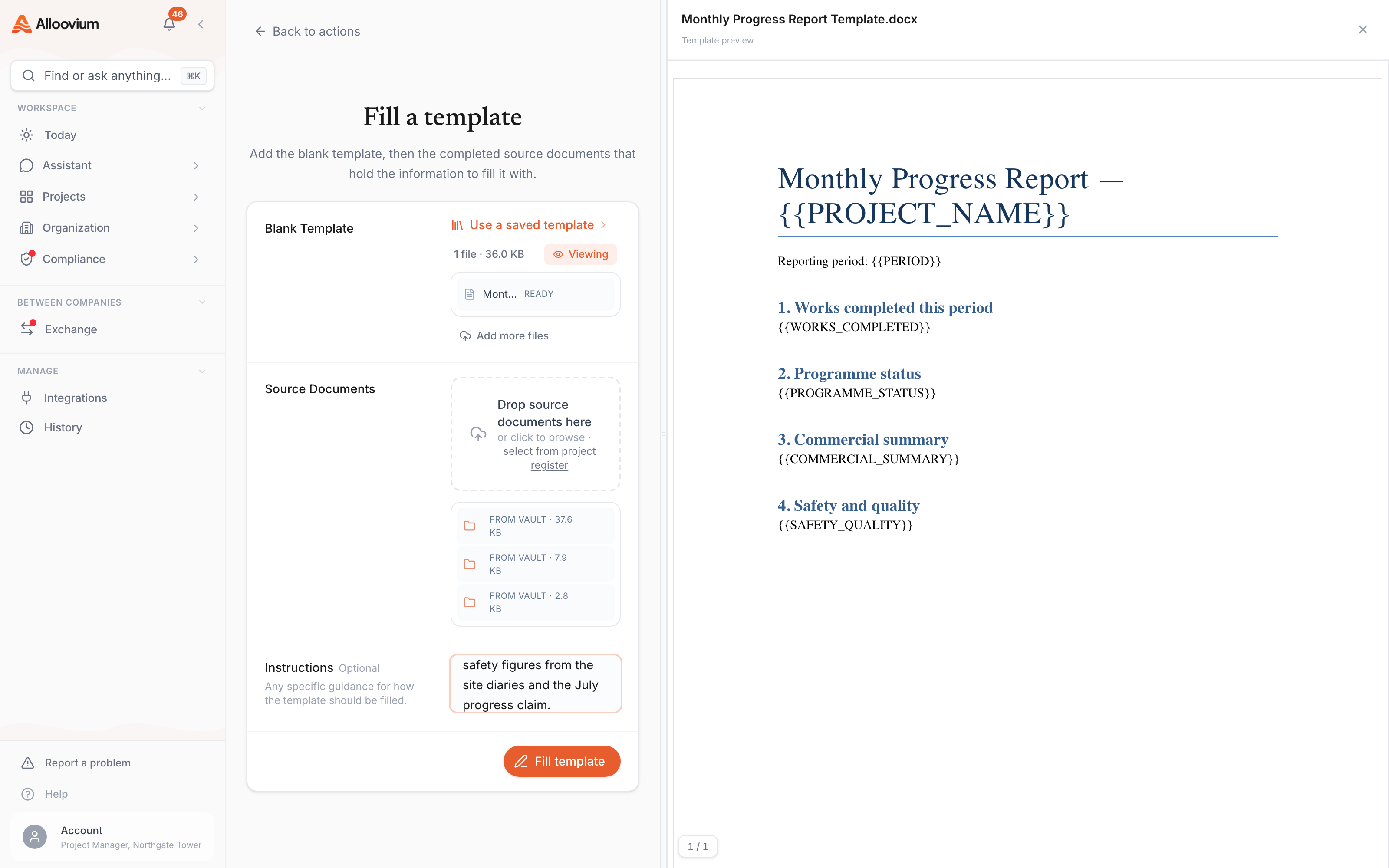
Click "Template Filling" in the sidebar
The page loads with upload zones for your source documents and blank template.
Upload your files and click "Fill Template"
Drop in your source documents and blank DOCX template, then click "Fill Template". The filled document appears with every value cited back to its source — export as DOCX when ready.
Video · ~2 min
Fill a template from your documents
Pick the source documents, drop in a blank Word template, run the fill, and open the completed file — every inserted value arrives as a tracked change citing the document it came from.
History
Every filled template and generated document is saved under the History tab on the Routines page. From there you can re-open, re-export, or regenerate any past document. Running the same template again on an updated project pulls the latest information without losing the edits you made to earlier versions.
A completed fill opened in Word — inserted values shown as tracked changes through the document, with the comment on one fill citing the source document it was taken from.
Citations stay with the document
When you re-open a past document from History, the original citations remain intact. You can click any cited value to jump straight to the source document and page.