
COMPLIANCE
Audit pack & evidence
An audit pack is a curated, point-in-time bundle of the evidence behind your compliance findings — the documents that map to each clause, frozen at a moment in time and shareable read-only with an auditor.
Available when the compliance engine is enabled
Audit-pack assembly builds on the conformance engine and is available when the compliance engine is enabled for your workspace. If you are new to compliance in Alloovium, start with the compliance overview.Overview
When an audit arrives, the work is rarely finding the evidence — it is choosing which records to hand over, making sure they map cleanly to the clauses being assessed, and being able to prove nothing was changed after the fact. An audit pack does that assembly for you.
A pack is a container you build inside a project. You decide which documents cross to the auditor, map them to the clauses they satisfy, then finalize the pack so its contents are frozen and can be shared read-only. It turns the evidence already sitting in your corpus into a defensible dossier.
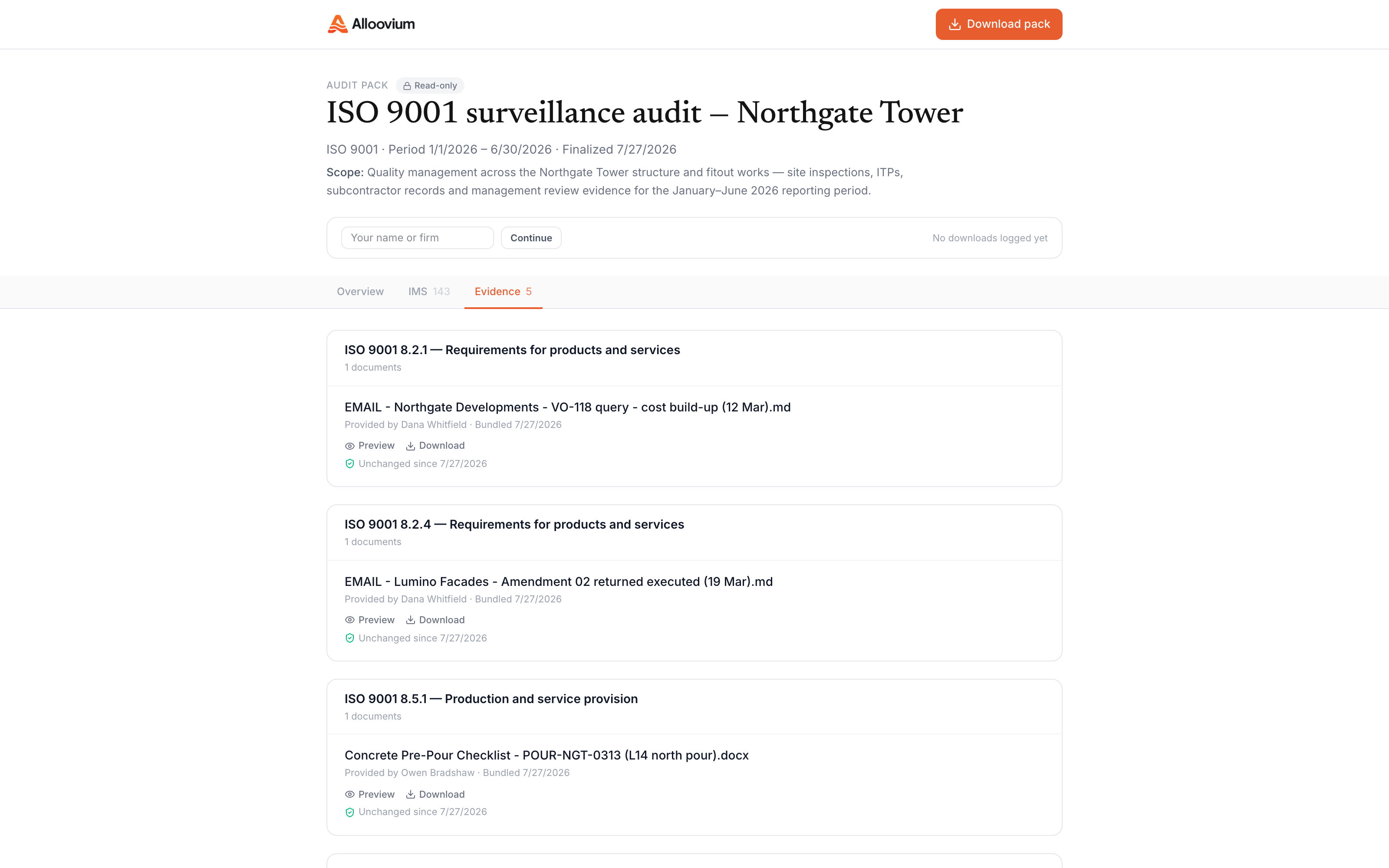
Video · ~2 min
Assemble an audit pack
Building a pack from scratch inside a project: create the draft, add evidence documents and map each to its clause, gate what the auditor sees with the inclusion toggles, finalize to snapshot everything, then open the read-only share link the auditor gets.
What a pack collects
A pack is a small set of parts, each chosen deliberately so the auditor sees exactly what you intend and nothing more.
| Part | What it is |
|---|---|
| Evidence items | The documents you have chosen to include, each mapped to the clause it satisfies |
| Inclusion gate | A per-item toggle that decides whether an auditor sees a given document |
| Snapshots | A frozen version of each included document, captured when the pack is finalized |
| Ruleset snapshot | A record of the rule documents in force plus a hash, so changes are detectable |
| Share token | A read-only link the auditor uses to view the finalized pack |
You choose what crosses over
Only items with inclusion switched on are visible to the auditor. Building the pack and gating it are separate steps, so you can stage everything and then decide what to hand over.Assembling a pack
Assembly happens inside the project whose evidence you are packaging. The typical flow is short.
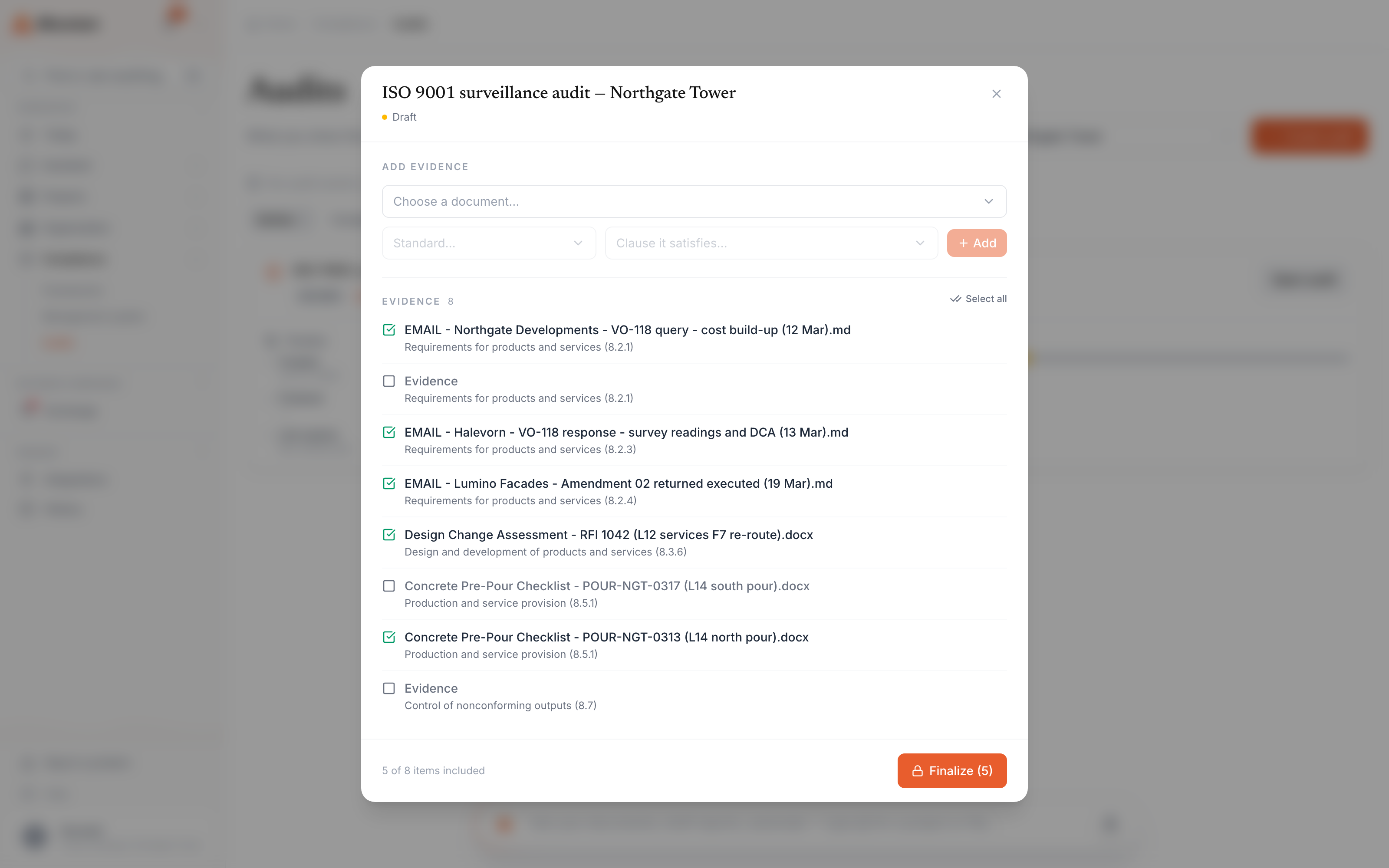
Create a pack
Start a new pack in the project. It begins as a draft you can edit freely.
Add evidence and map to clauses
Pull in the documents that support your findings and map each to the clause it satisfies.
Gate what the auditor sees
Toggle inclusion on each item so the pack shows only what you intend to share.
Finalize
Lock the pack. Its included documents are snapshotted and it becomes shareable.
Because a pack draws on the same findings the conformance engine produces, the mapping between evidence and clauses usually reflects work you have already done closing gaps — see conformance and attention.
Freezing and finalizing
Finalizing is the step that makes a pack defensible. A draft can change; a finalized pack cannot.
Document snapshots
When you finalize, each included document is captured at its current version. If the live document changes afterwards, the pack still shows what the auditor was given, which prevents any question about tampering after the review began.
Ruleset hash
Alongside the evidence, a pack records the rule documents in force at finalize time together with a SHA-256 hash. An auditor can use that hash to confirm the rules a project was assessed against were not quietly changed after the fact.
Finalize is a point in time
A finalized pack reflects the corpus as it stood at that moment. If evidence changes later, assemble a fresh pack rather than editing the finalized one.