
DAILY WORKFLOW
Project Inbox
Construction runs on email, so Today gives it a lane. The Inbox view shows recent messages from your connected mailbox routed to their projects and classified by what they need from you — without leaving the page where the rest of your day lives.
Overview
On Today, the wide left column toggles between Calendar and Inbox. Switch to Inbox and you get recent email routed to your projects from your connected Outlook or Gmail mailbox — each message tagged with the project it belongs to, listed with its sender and age, and sitting right beside the Needs attention queue so triage and action share one screen.
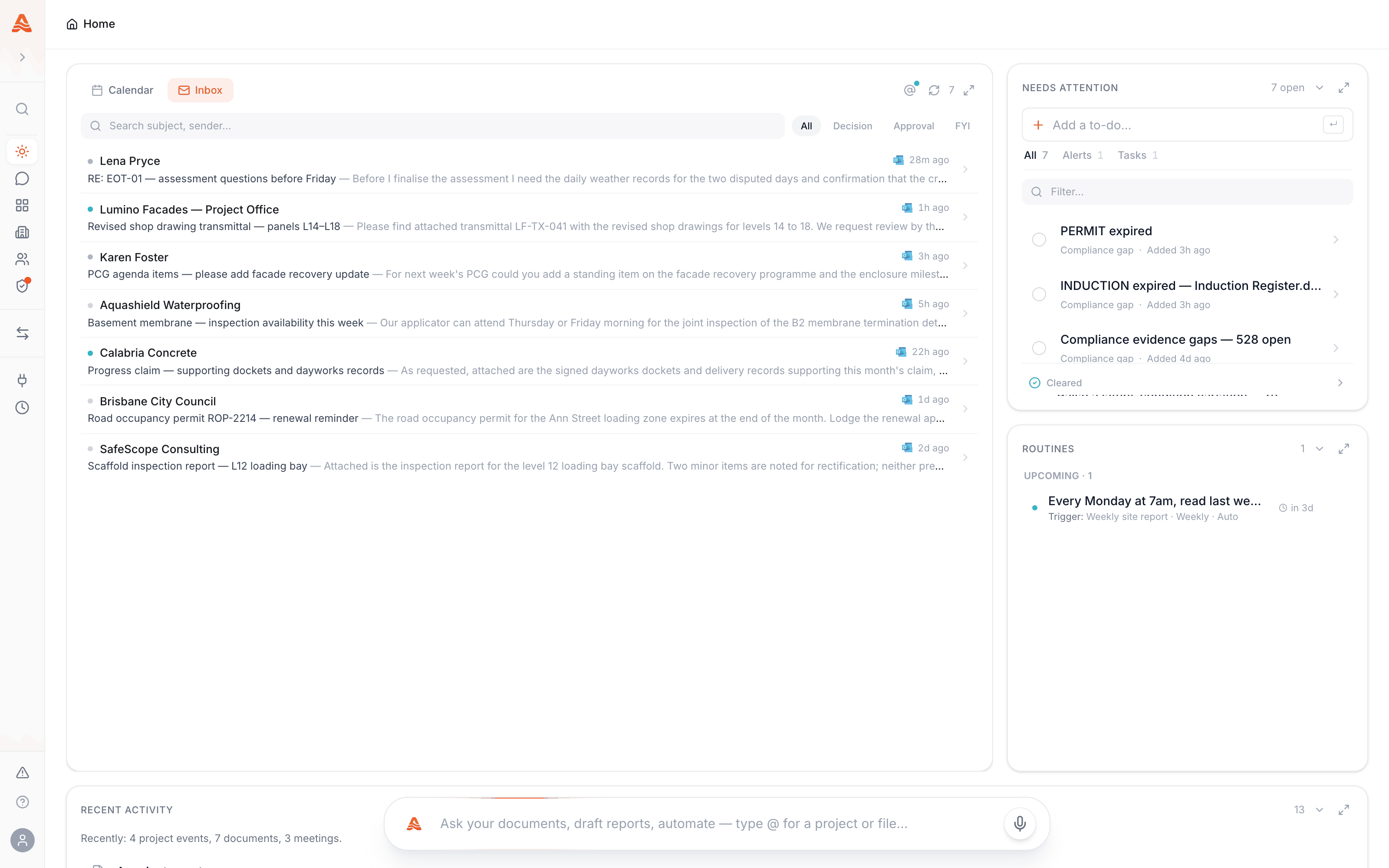
Triage: Decision, Approval, FYI
Every routed message is classified by what it actually needs from you: Decision when someone is waiting on a call, Approval when something needs signing off, FYIwhen it's information you should have but nothing more. Filter chips above the list cut it to one kind — so "what needs a decision from me this morning" is one click, not an inbox scroll.
This is triage, not a mail client
The Inbox view is deliberately thin: it exists so project email lands next to your calendar and your queue, classified. Your mailbox stays the system of record — Alloovium reads, it doesn't move or file your mail.From email to action item
The same reading pass that classifies a message also extracts what it asks for. Requests buried in email — "can you confirm the exclusion zone by Friday" — surface as action items in the Needs attention queue, each linked back to the message it came from. Email stops being a second, private to-do list that only you can see.
This is different from Email Queries, which lets you ask Alloovium questions by email. The Inbox is about mail that arrives; Email Queries is about answers you request.
Connecting a mailbox
The Inbox fills from a connected mailbox — Outlook or Gmail, set up under Integrations. Until one is connected, the pane offers the connect step instead. Routing is per-project and automatic: messages are matched to the projects they concern, so a three-project week doesn't mean three inboxes.