
AI Assistant
Asking Questions
Ask anything about your project documents in plain language and get accurate, cited answers in seconds.
Asking Questions
You can ask the AI Assistant anything related to the documents in your project. Questions can be broad ("What are the key deliverables in this contract?") or highly specific ("What is the liquidated damages clause in section 12?"). The assistant handles both.
The assistant is context-aware throughout a conversation. If you ask "What does it say about payment terms?" followed by "And what are the penalties for late payment?", it understands that the second question continues the same thread.
Scope matters: ask from inside a project and answers draw on that project's documents; ask from the company-wide Assistant and every project you can access is in play. If a question needs a source you haven't uploaded, the answer will say so rather than guess.
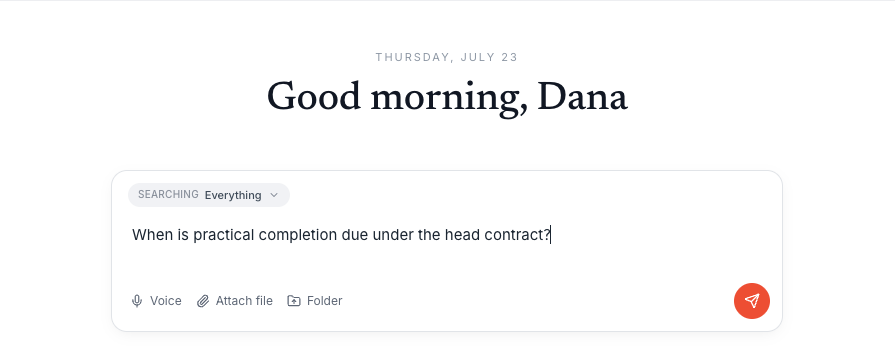
Open a project
Navigate to a project with uploaded and processed documents.
Open the AI Assistant
Click the chat icon in the sidebar or use the keyboard shortcut Cmd+K to open the assistant panel.
Type your question
Enter your question in the text field at the bottom of the chat panel and press Enter or click Send.
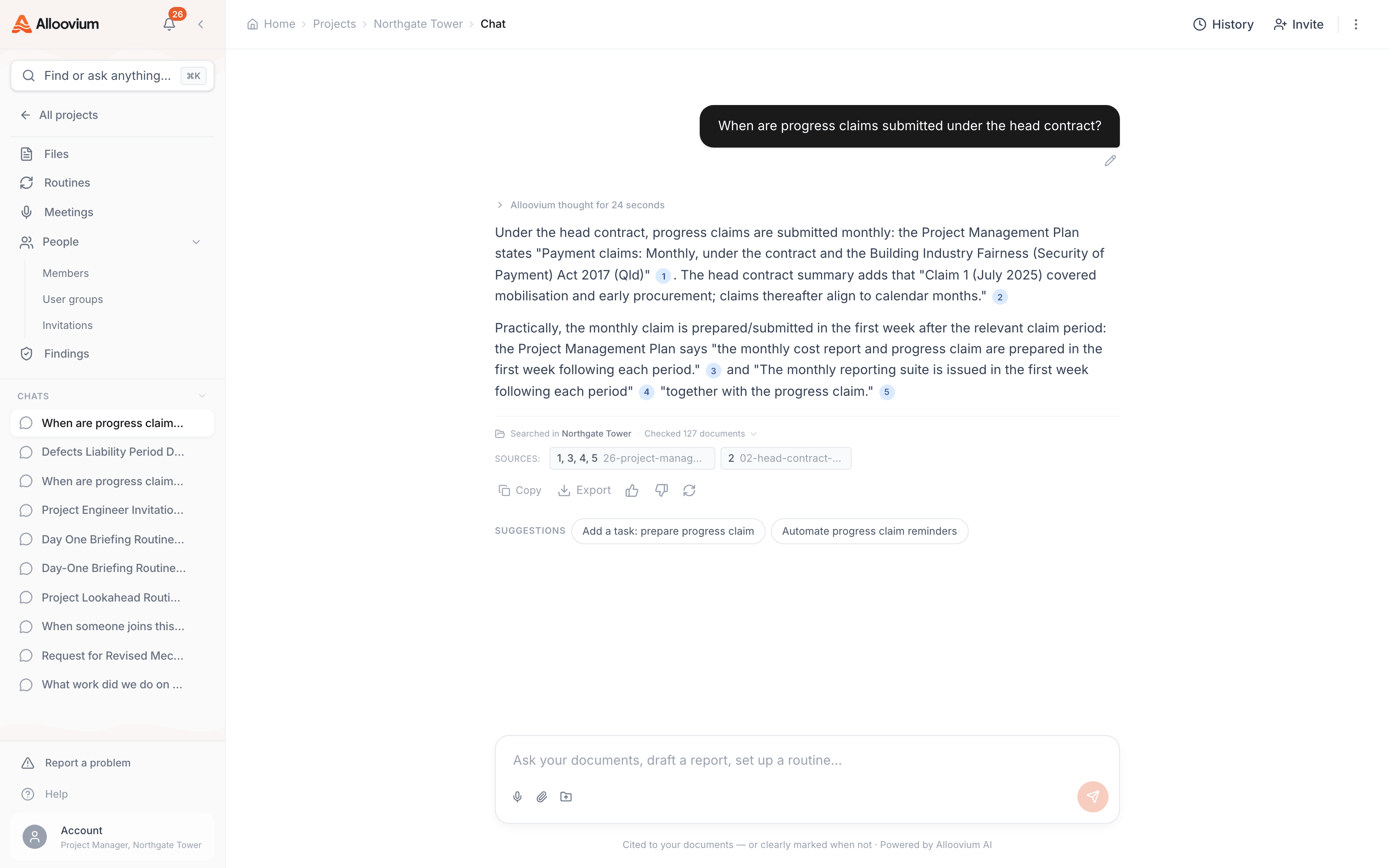
Review the answer and citations
The assistant responds with an answer and numbered citations. Click any citation to jump to the source passage.
Ask follow-up questions
Continue the conversation by asking follow-ups — the assistant retains context from the entire thread.
Query tip
Phrasing your question as you would ask a colleague often produces the best results. For example: "Does this contract include a warranty period, and if so, how long is it?" works better than "warranty period duration".