
Exchange
Clause-level diffs
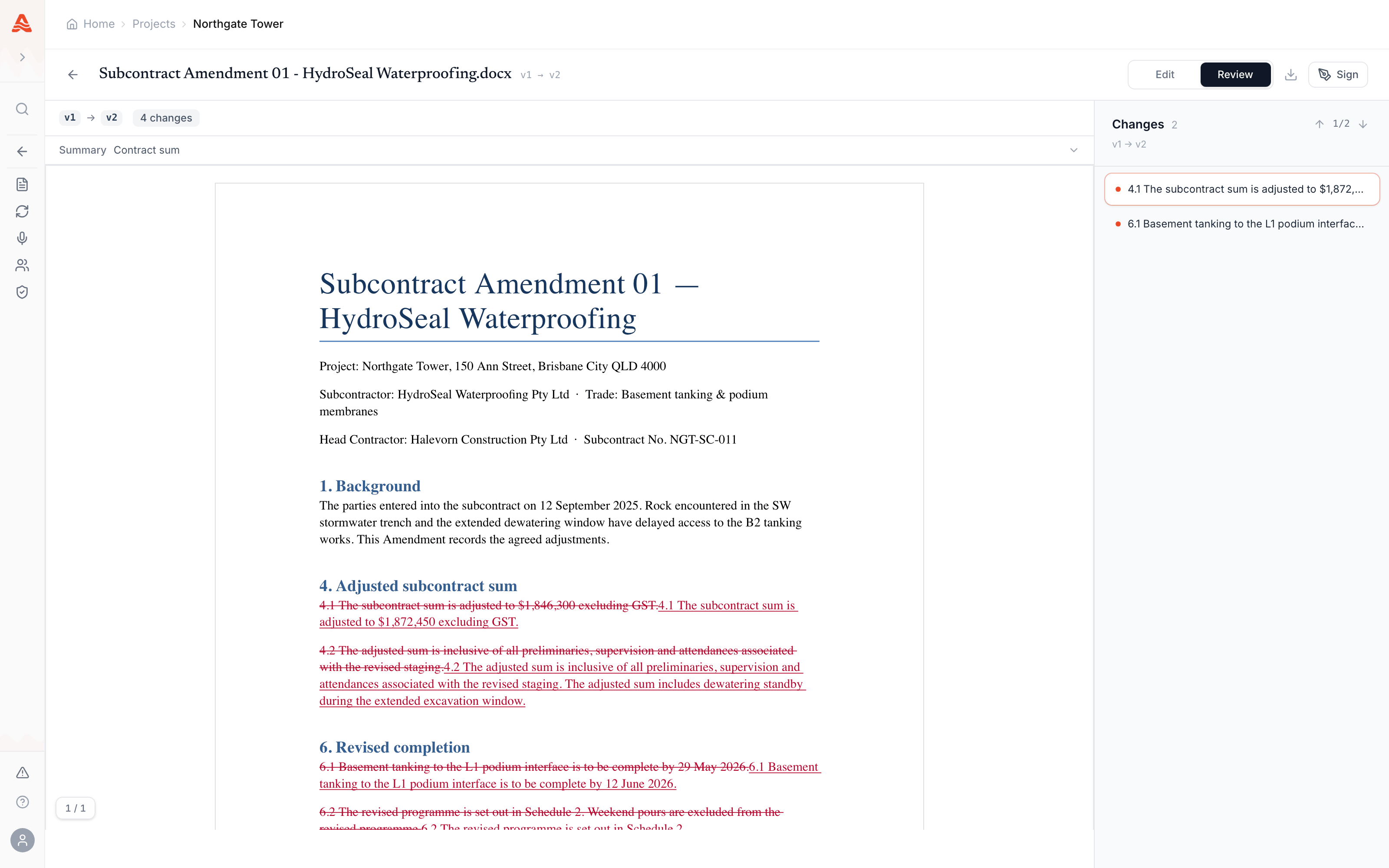
DOCX is the format Exchange is built around. When you issue a new revision, the document is parsed clause by clause and the diff is computed against the previous revision in the same branch.
How it works
The viewer surfaces three things on every revision:
- Side-by-side and inline views — toggle in the viewer toolbar. Reviewers default to side-by-side; site teams default to inline.
- Per-clause status — added, removed, modified, or unchanged — colour-coded in the gutter.
- Jump-to-change — keyboard navigation through every change in the document, in order.
Why DOCX (and not PDF-only)
PDF diffs operate on glyph positions. They tell you something changed on page 14 — not that the indemnity cap moved from $5m to $25m.
Exchange parses DOCX into the structural tree (paragraphs, runs, tables) so diffs land on the actual contract language. This is the same reason auditors prefer red-line DOCX over PDF mark-ups for contract negotiation.
PDFs in Exchange
PDFs can be issued and read against in the viewer with comment threads, but the clause diff and markup merge only run on DOCX. Convert from PDF if you need the structural diff.Comment anchoring
Comment threads anchor to a position inside the document so they survive editing in subsequent revisions. There are three anchor kinds:
- paragraph — the comment is attached to a structural paragraph; survives unless the paragraph is deleted.
- text_range — the comment quotes a literal text span and stores the page number and bounding box; useful for clause-level disputes.
- region — the comment is pinned to a screen region, normalised 0..1 across the page. Useful for tables and diagrams that don't map cleanly to a paragraph.