
DOCUMENTS & PROJECTS
Company Workspace
Projects come and go; the company accumulates. The Organization workspace holds what outlives any single job — your shared library, the companies and people you work with, your templates and procedures, and the lessons the jobs taught you.
Overview
Where a project workspace answers “what is true on this job?”, the Organization workspace answers “what is true for us?”. It is the home for documents that belong to the whole company, the master records other surfaces draw on, and the shared knowledge every new project should start with. Everything here participates in the assistant’s answers, permission-filtered like all retrieval.
| Section | What lives there |
|---|---|
| Company files | The shared document library — templates, references, and every project record in one searchable place. |
| Contacts | The companies and people you work with — clients, subs, suppliers, consultants. |
| Playbook | Your reusable templates and standard procedures. |
| Lessons | Company memory — what past jobs taught you, resurfaced when it matters. |
| People | Your team — members, roles, and groups. |
| Data quality | A health check on your master data — gaps, duplicates, and stale records. |
Company files
Every document your company works from, in one place.
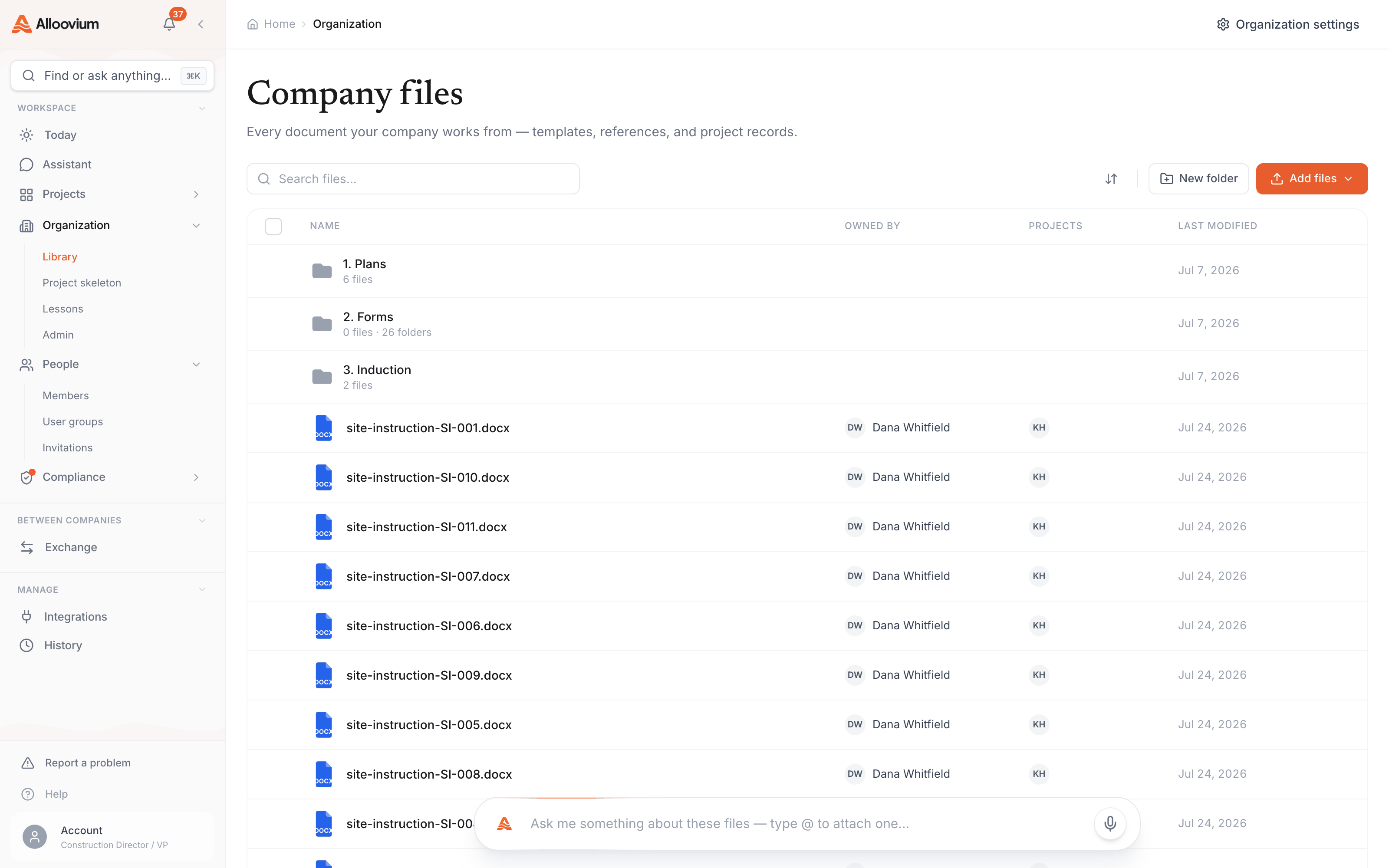
The library shows your whole corpus — company-level files like policies, standard details and reference specs, alongside every project’s records. Organise with folders, filter by source (uploads, SharePoint, Procore, and other integrations) or by classification, and open any file in the preview with its extraction and version history. Documents not attached to a project live here as company files; attach them to projects at any time without re-uploading.
The company library mid-filter: folder tree on the left, document rows with classification badges on the right, and the source filter open showing Uploads, SharePoint, and Procore options.
Contacts
One directory for the companies and people around your projects.
Contacts is the master record of who you work with — client organisations, subcontractors, suppliers, consultants, and the individuals inside them. Projects reference these records (a project’s client is a company here, not a typed-in name), so the same party looks the same on every job, and questions like “which projects has this sub worked on?” have a real answer.
Playbook
The documents you reuse: templates and procedures.
The Playbook holds your standard forms and procedures — the templates that template filling and document generation draw on, and the written procedures your routines and reviews enforce. Keep the canonical version here; every project starts from it rather than from whatever was on someone’s desktop.
Lessons
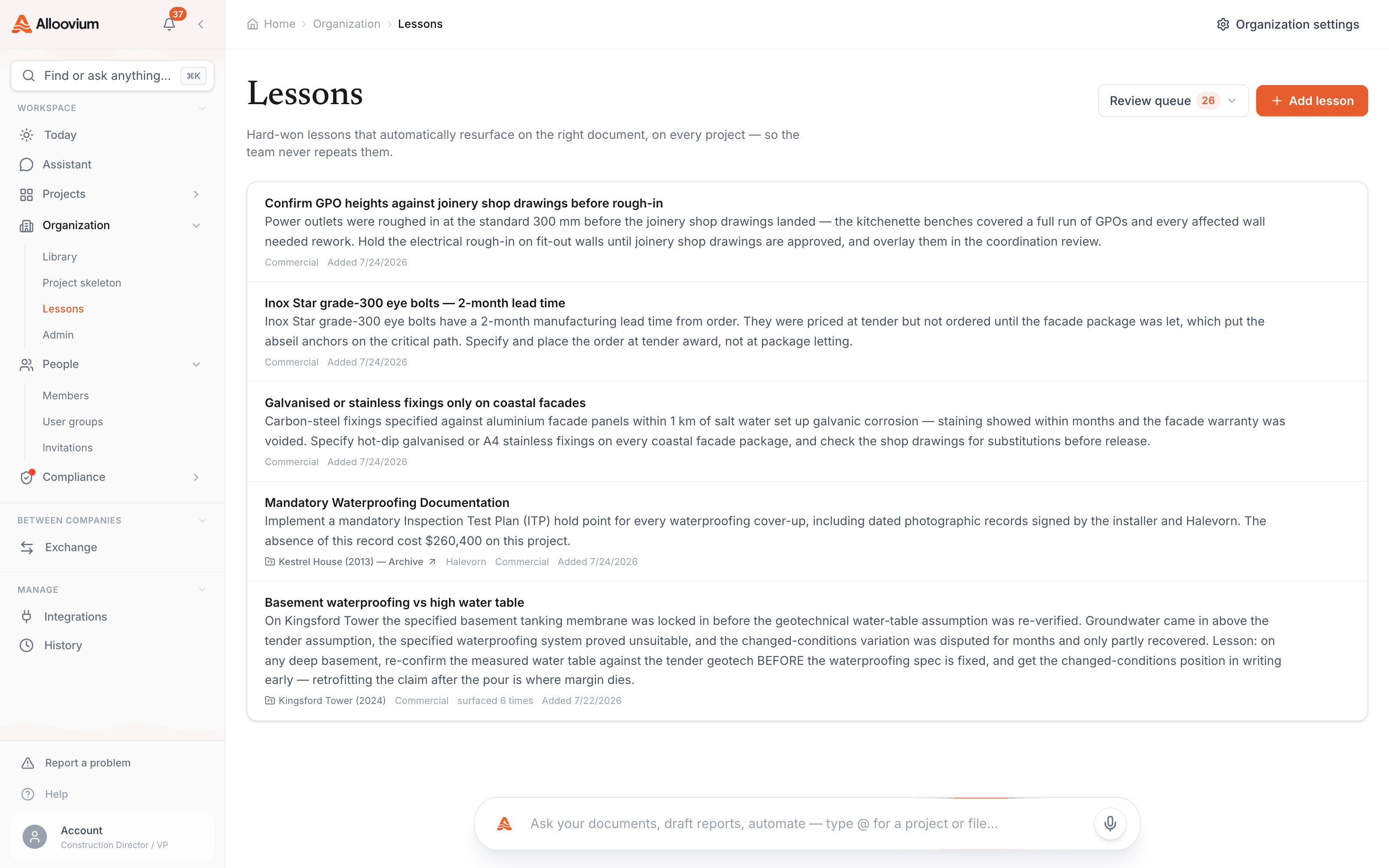
Company memory, on the record.
Lessons capture what jobs taught you and bring it back when a new document or decision walks into the same trap. They are important enough to have their own guide.
People
Members, roles, and groups.
People is where your team is managed — who has access, what role they hold, and which groups they belong to. Roles and permissions are covered in Permissions & Roles, and team setup in Admin & Teams.
Data quality
A health dashboard for the records everything else relies on.
Master data decays: contacts duplicate, projects miss numbers, records go stale. The data quality dashboard measures it — surfacing gaps and duplicates with a path to fix each one — so the answers built on this data stay trustworthy.
Why it matters to answers
The assistant is only as sharp as the records underneath it. Ten minutes on the data quality queue pays back across every question anyone asks afterwards.