
DAILY WORKFLOW
Meetings
Bring a meeting into Alloovium, get a clean transcript and a project-manager summary, and review the actions and decisions it contains before they turn into work you have to track.
Overview
A great deal of what governs a construction job is decided in meetings — the weekly lookahead, the client catch-up, the subcontractor coordination call. Alloovium captures the meeting, transcribes it, and reads it the way a project manager would: pulling out the actions, the decisions, and the things that need to become work.
Nothing is dispatched automatically. Alloovium prepares a reviewable list, and you decide what becomes a task, a variation or a recorded decision. Items you approve then flow into your day on Today.
Video · ~2 min
One meeting, start to finish
A recording is uploaded, moves through transcription to Complete, and its extracted items are reviewed and dispatched — an action, a decision, and a variation each landing where they belong.
Capturing a meeting
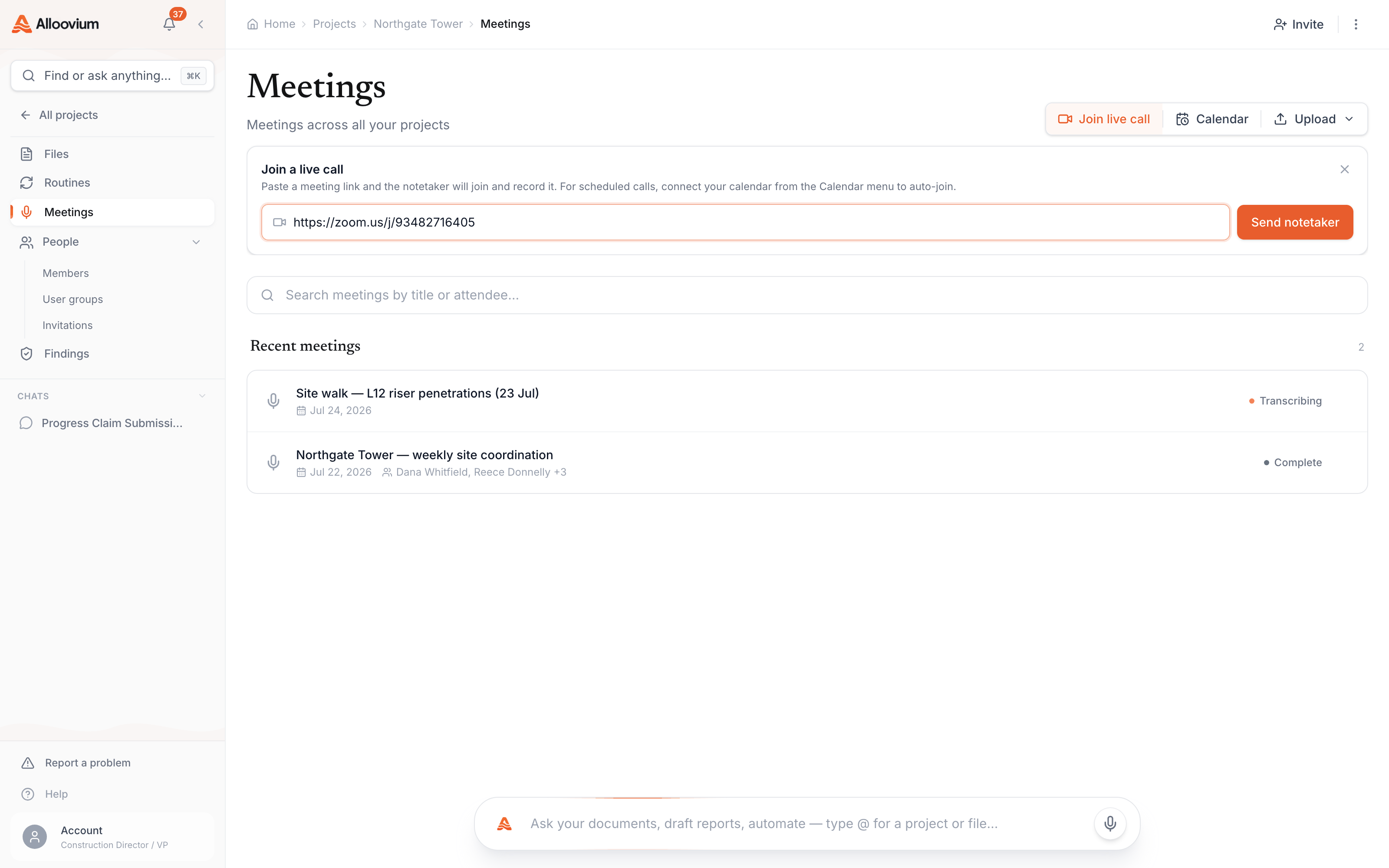
There are a few ways to get a meeting into Alloovium, depending on how the meeting happens. In every case the result is the same: a meeting record that will carry the transcript, summary and extracted items.
Upload a recording
Upload a pre-recorded audio or video file. Alloovium extracts the audio where needed and transcribes it.
Send a notetaker to a call
Where the Recall.ai notetaker is configured, Alloovium can send a bot to a Zoom, Teams or Meet link to record the call.
Join from your calendar
Where calendar auto-join is configured, you can connect a Google or Microsoft calendar and have the notetaker attend selected events.
Attendees are recorded against the meeting, and recurring meetings can be linked as a series so Alloovium can note what has changed since the previous session.
Recording and notetaker availability
The notetaker and calendar auto-join depend on integrations that are configured for your workspace, and some capture methods may not be enabled in every environment. See Availability below.Transcription and summary
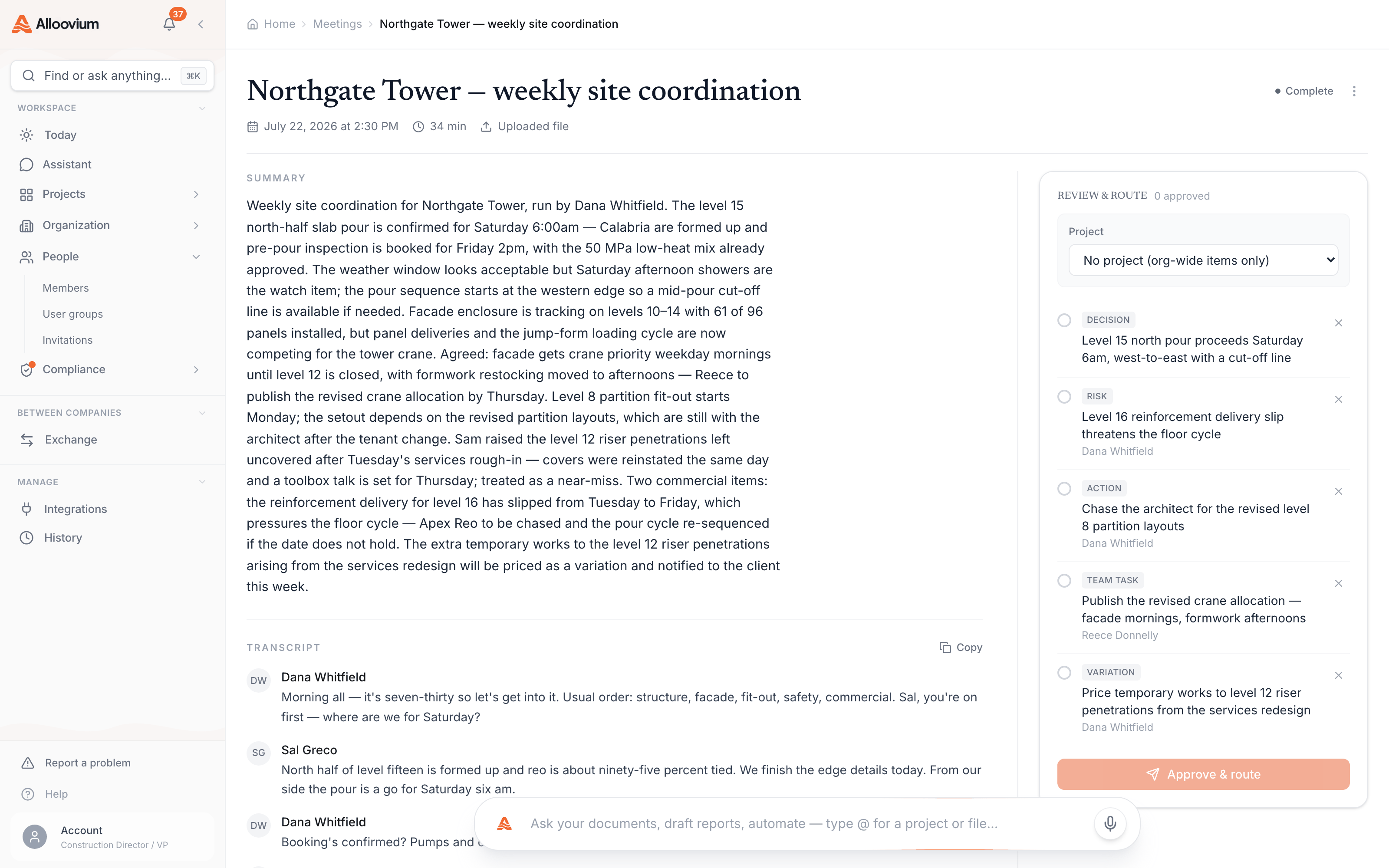
Once a meeting is captured, transcription runs automatically. Alloovium produces a full transcript, then cleans up the kind of errors speech recognition makes with construction terminology so the text reads correctly.
From the transcript, Alloovium writes a concise project-manager summary — grounded in what was actually said, not invented — and identifies the attendees. The transcript, the summary and the recording (where one exists) are all available on the meeting.
Grounded, not embellished
The summary is instructed to stay faithful to the transcript. If a decision was not reached in the meeting, it will not appear as one.Meeting status
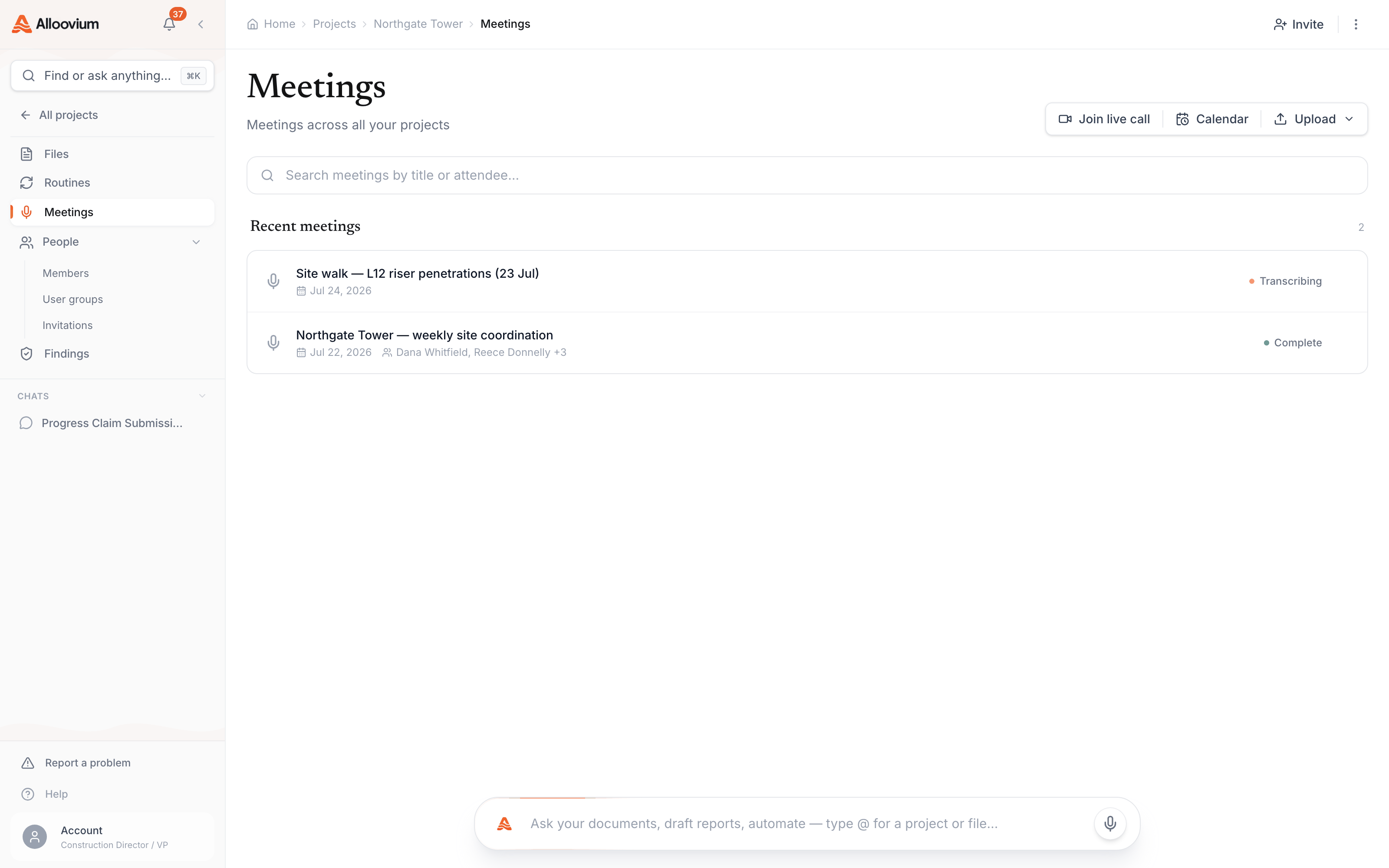
A meeting moves through a sequence of states as it is captured and processed.
| Status | What it means |
|---|---|
| Uploaded | The meeting record exists and is awaiting its recording or file. |
| Scheduled | A notetaker is set to join an upcoming call. |
| Recording | The notetaker is in the call, or a live recording is in progress. |
| Transcribing | The audio is being converted to text. |
| Processing | The summary and extracted items are being prepared. |
| Complete | The meeting is ready for review. |
| Failed | Transcription or processing did not complete. |
| Canceled | The notetaker was stopped before it recorded. |
What Alloovium extracts
Alloovium does not stop at a summary. It reads the transcript for the things a project manager would act on and files each one as an extracted item, tagged by kind, with a verbatim quote from the transcript so you can see exactly where it came from.
| Kind | What it captures |
|---|---|
| Action item | Something you need to do. |
| Team task | Something to assign to a member of the team. |
| Variation | A change to scope, cost or programme. |
| Programme | An update to the schedule or lookahead. |
| Decision | A decision the meeting reached. |
| Risk | A threat or blocker that was raised. |
| Lesson | Knowledge worth keeping for future work. |
Each extracted item can carry a suggested assignee named in the discussion and a best-guess project, so you can triage the list quickly. A variation surfaced here connects to the same drafting flow described in Variations.
Review and dispatch
Extracted items sit in a review queue on the meeting until you decide what to do with them. Nothing is routed on until you approve it.
Review
Open the meeting and read each extracted item alongside the quote it came from.
Adjust or dismiss
Correct the kind or assignee where needed, or dismiss an item that is not actionable.
Confirm the project
For items that belong to a job — actions, team tasks, variations and programme updates — confirm which project they apply to.
Dispatch
Approve the items you want to keep. Alloovium routes each one to its destination.
Dispatched items land where they belong. Actions become your own tasks and appear on Today; team tasks are assigned; variations open as drafts; decisions, risks and lessons are recorded at the workspace level. Because decisions, risks and lessons are workspace-wide, they do not require a project to be chosen.
Availability
Meetings capabilities depend on how your workspace is configured. Automatic transcription and summarisation run whenever a meeting has a recording. The notetaker for live calls requires the Recall.ai integration to be configured, and calendar auto-join requires a connected Google or Microsoft calendar.
Some capture methods may be gated
Where an integration is not configured — for example, if the notetaker is not enabled for your workspace — the related option will be unavailable. If a capture method you expect is missing, check with your administrator on how it has been set up for your environment.Whatever the capture method, the review-before-dispatch step is the same, so items only enter your workflow once you have confirmed them.