
Exchange
Version control for construction documents
Alloovium Exchange treats a contract, specification, or management plan the way a version-control system treats source code: every revision is captured, every party's edits are attributable, and every read and acknowledgement lands in a write-once audit trail.
Video · ~3 min
Send, sign, and keep the receipts
One document's full round trip through Exchange: pick it from project files with the slide-over preview, send it across companies, watch the recipient open the share link, accept and sign in place, then land on the hash-chained audit trail showing every event.
What it is
Exchange is the document layer of the Alloovium suite. It is built around the revision — not the folder, not the email attachment, not the SharePoint timestamp.
It runs on DOCX as a first-class format, with PDFs supported in the viewer for read-and-acknowledge flows.
Who it is for
Head contractors running subcontractor document packs on Australian infrastructure projects. The three-layer audit trail (person, organisation, credential) is what separates Exchange from a filename-suffix workflow.Capabilities
Four product surfaces, all anchored to the same write-once audit log:
- Clause-level diffs — see what changed between two DOCX revisions, clause by clause — not glyph by glyph.
- Trade markups, merged — every sub's redlines roll back onto the head contractor's master with conflicts flagged at the clause they touch.
Receipts
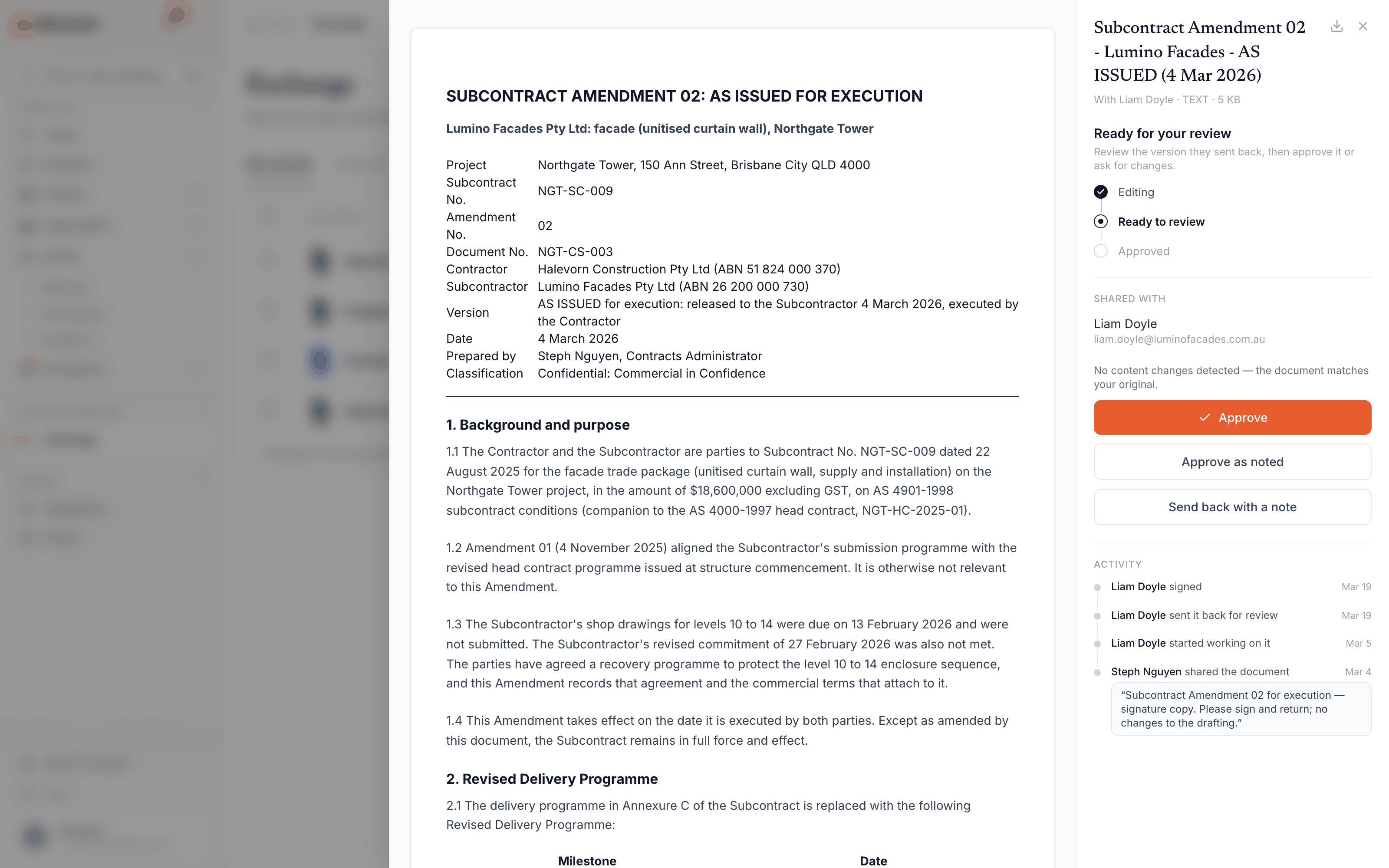
The point of sending through Exchange is that the send leaves a receipt. Every step in a shared document’s life is written to an append-only trail — recorded once, never edited, never deleted — so “we never got that” stops being an argument and becomes a lookup.
- Sent and opened— each share records when it went out and when the recipient first opened it, giving you a timestamped record of notification per counterparty. These facts also feed the project’s Distribution register.
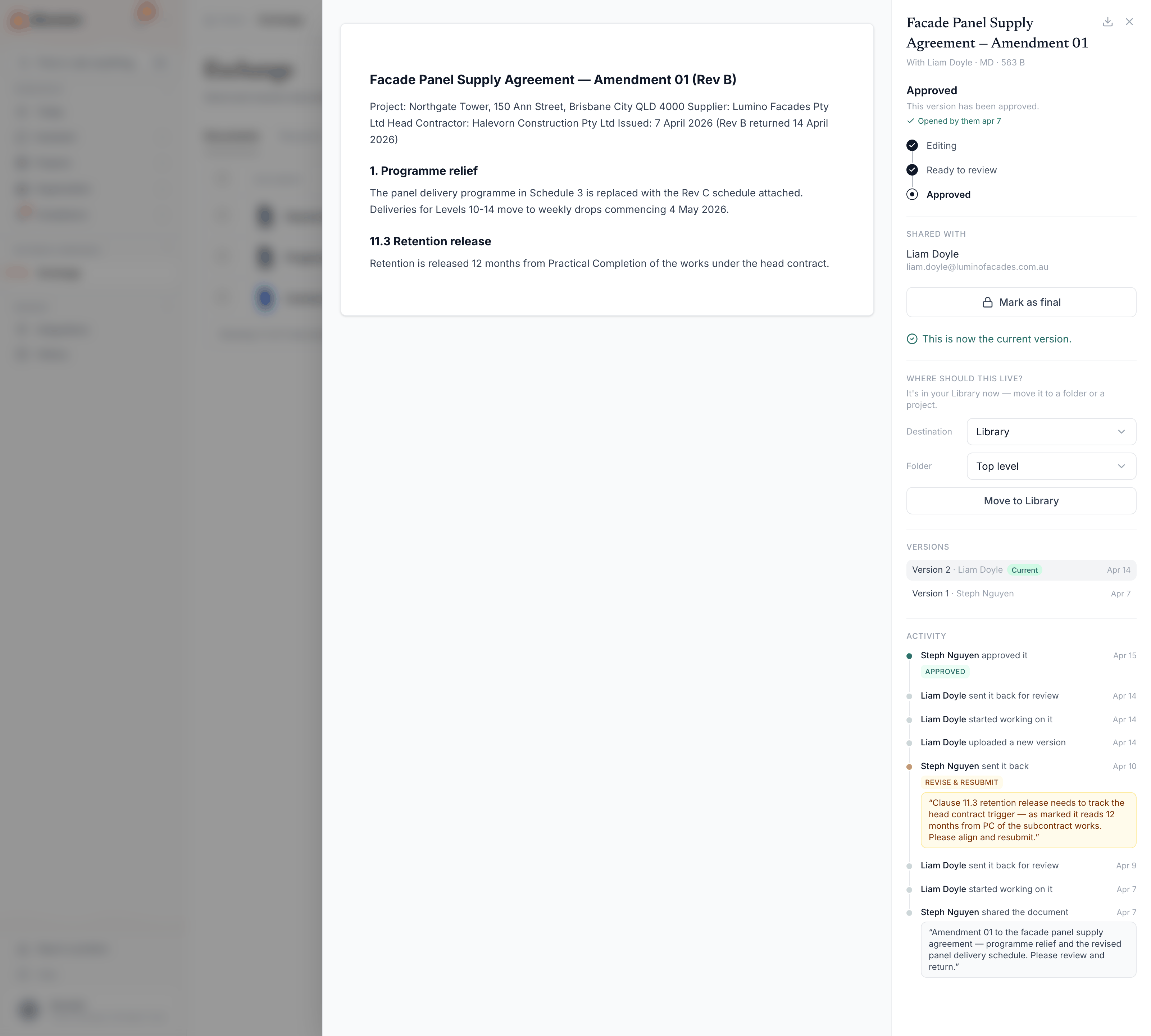
- Every state transition — shared, submitted, sent back with a note, resubmitted, approved: each move is logged with who made it, when, and the note that travelled with it, including the review outcome stamped on the transition (approved, approved-as-noted, revise-and-resubmit, or rejected).
- Signatures bound to the bytes — when a document is signed at approval, the trail records who signed and a
SHA-256hash of the exact file as published. The signature row survives as evidence even if the document itself is later deleted, and the hash proves the signed file was not swapped afterwards. - Honest tracking only — open receipts are shown only for channels that actually support them. A document that went out by plain email is never dressed up with a read receipt it does not have.
Timestamps decide real money
In Sharvain Facades v Roberts Co[2025] NSWSC 606 (upheld [2025] NSWCA 161), a subcontractor uploaded a $3,207,999.03 payment claim at 7:18pm on a Friday; the head contractor’s after-5pm deeming clause was held void and its payment schedule was one business day late — judgment for $3,278,043.27 including interest. When service and response windows are in play, a timestamped trail of what was sent and when is the whole ballgame.For the who-holds-which-revision view built on these receipts — including winding the record back to any past date — see the Distribution register.
Where to go next
- →Clause-level diffs — the DOCX diff engine and how comment threads survive across revisions.
- →Trade markups, merged — merging redlines from every sub back onto the master.
- →Working with Trades — run the submission and transmittal loop with your subcontractors.