
Projects
Document Types
Alloovium automatically classifies documents to optimise analysis. Learn what types are supported and how the processing pipeline works.
Document Types
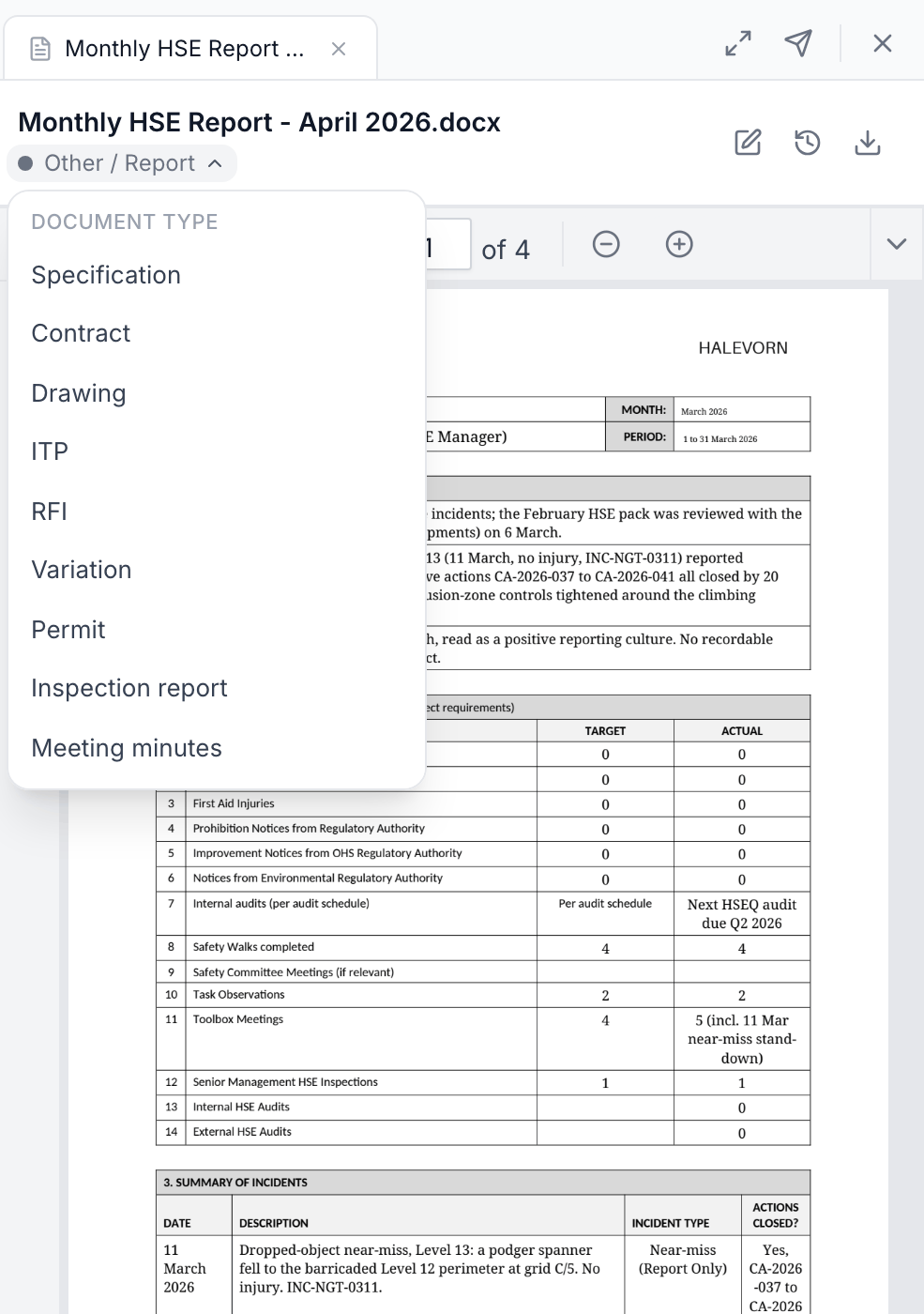
Alloovium automatically classifies uploaded documents into categories to help with organisation and to optimise analysis. Common types include contracts, specifications, drawings, reports, and correspondence. You can also assign a custom type to any document.
| Type | Description | Best used for |
|---|---|---|
| Contract | Legal agreements and subcontracts | Payment terms, obligations, liquidated damages |
| Specification | Technical and performance specs | Scope verification, compliance checking |
| Drawing | Engineering and architectural drawings | Discipline and revision tracking |
| RFI / RFI Response | Requests for information and their answers | Open-item tracking, notice history |
| Submittal | Shop drawings, samples, product data | Approval status, review turnaround |
| ITP | Inspection & test plans | Hold points, quality verification |
| SWMS / JSA | Safe work method statements, job safety analyses | Safety compliance, high-risk work |
| Register / Log | Schedules, registers, and logs | Variation, defect, and notice tracking |
| Report | Site and inspection reports | Issue tracking, defect management |
| Correspondence | Emails, letters, instructions | Notice tracking, variation history |
| Meeting Minutes | Records of site and project meetings | Actions, decisions, attendance |
| Permit / Transmittal | Permits and document transmittals | Approvals, issue records |
| Environmental (EMP / CEMP) | Environmental management plans | Compliance obligations, conditions |
Around twenty categories are recognised in total, plus a general fallback. You can override the type on any document.
Processing Pipeline
Understanding how Alloovium processes your documents helps you get the most out of the platform. Each document goes through the following stages:
- Text extraction — Alloovium reads the raw text from each page. For scanned PDFs and images, GPU-accelerated OCR is applied automatically.
- Layout analysis — The document structure is analysed: headings, tables, figures, and paragraph blocks are identified and tagged.
- Chunking — The document is split into semantically meaningful segments (typically 200–500 tokens each) that are small enough for precise retrieval.
- Embedding — Each chunk is converted into a vector embedding using a high-dimensional model trained on technical and legal language.
- Indexing — Embeddings are stored in a vector index for fast similarity search, enabling sub-second retrieval during AI queries.
GPU extraction
Alloovium uses GPU-accelerated document extraction for complex PDFs and engineering drawings. This means higher accuracy on scanned documents, tables with merged cells, and multi-column layouts.